MITUNTUN N150 Review: Affordable 16-Inch Laptop Performance Test
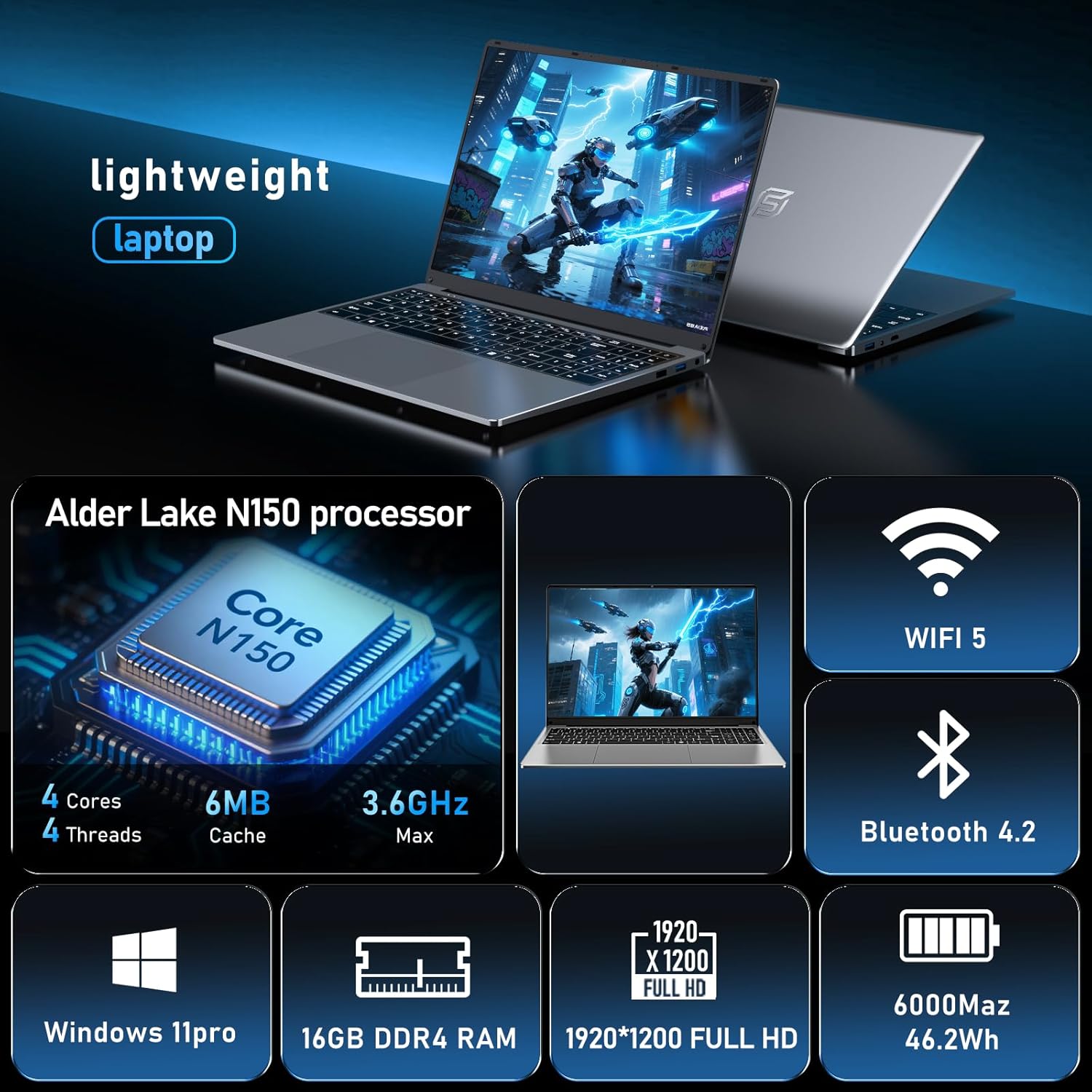
The MITUNTUN N150 Review
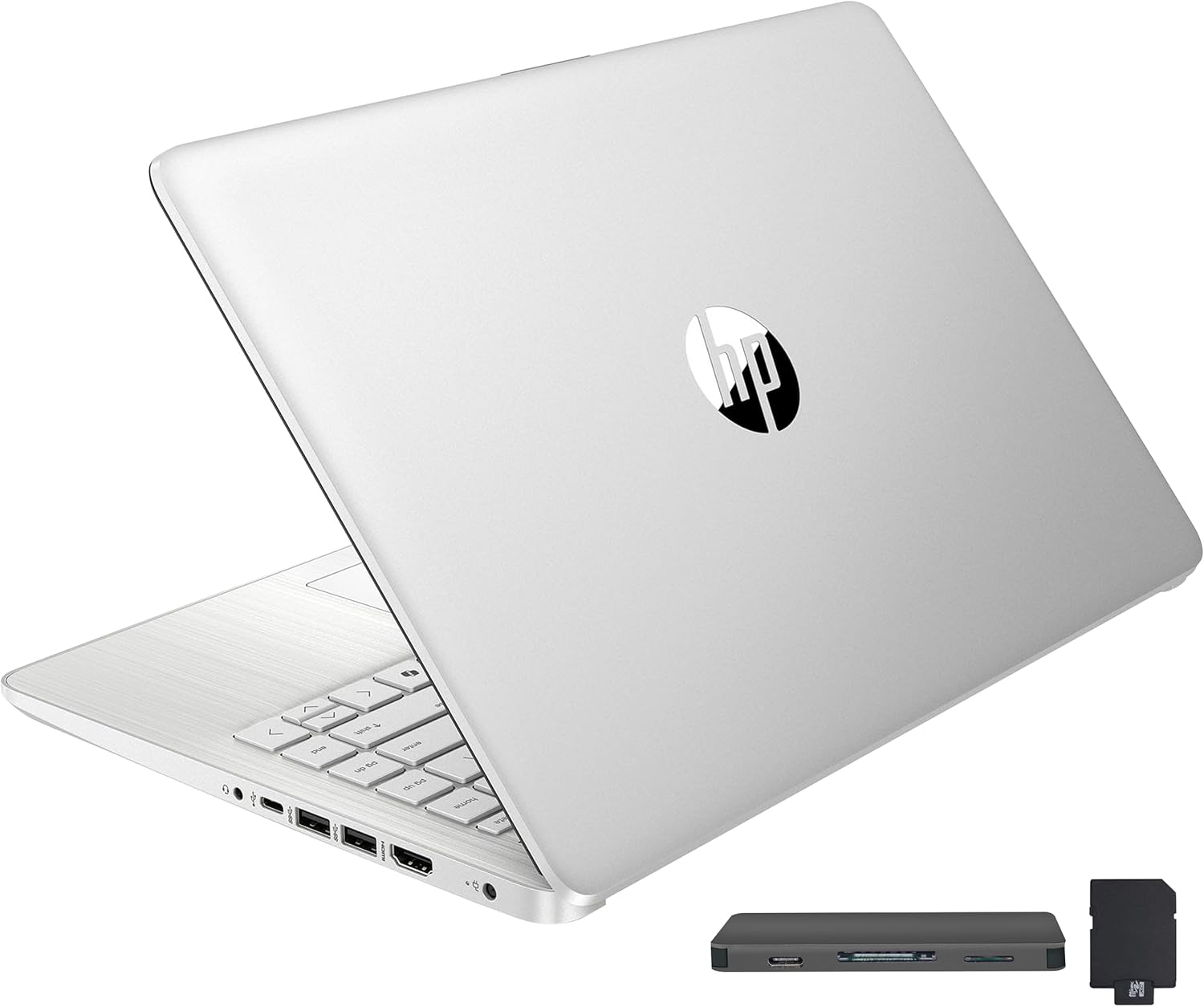
When I pulled the MITUNTUN N150 from its packaging, my initial reaction was one of cautious skepticism. At this price point, manufacturers typically cut corners on chassis integrity, often opting for thin, creaky plastics. Surprisingly, the unit features a metal shell that feels denser than the bargain-bin plastic alternatives flooding the market. It carries a certain heft that suggests it won’t snap if you toss it into a bag, though the finish is a magnet for fingerprints and smudges within minutes of unboxing.
The aesthetic is unmistakably utilitarian, bordering on sterile. It lacks the aggressive lines or premium curves found in more expensive notebooks, but it avoids looking like a literal toy. The weight distribution is balanced enough that the hinges feel stable when opening the lid with one hand, a small detail I rarely find in entry-level hardware. My first impression is that of a functional, no-frills workstation, but I remain wary of what lies underneath the surface-level build quality.
Display and Audio Realities
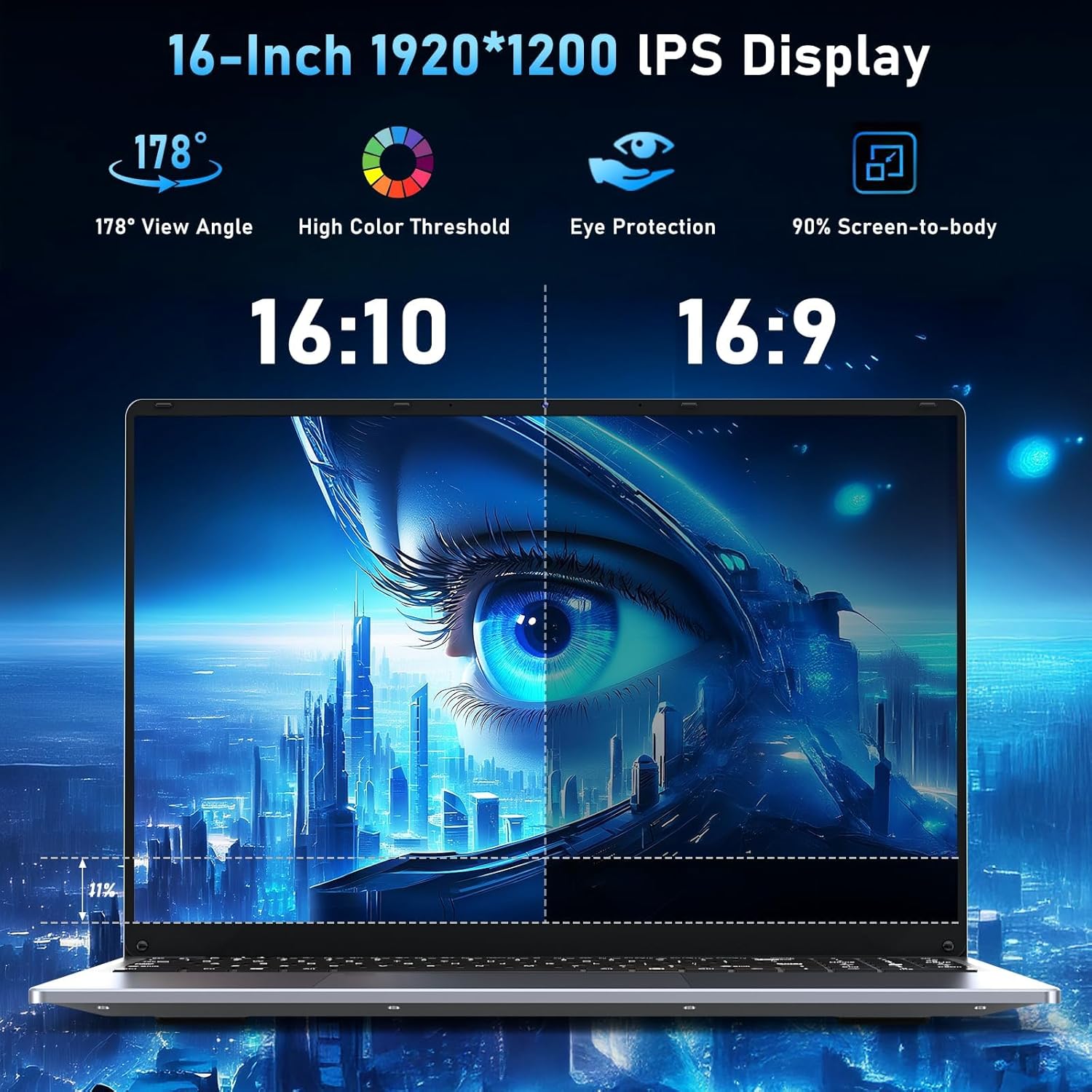
The 16-inch IPS display on the MITUNTUN N150 is the definition of adequate for office-centric workflows. At a resolution of 1920×1200, the vertical real estate is appreciated for managing spreadsheets and document editing. However, color accuracy is clearly not a priority here. Viewing angles are acceptable when working head-on, but you will notice color shifting if you lean back or move slightly off-center. It is bright enough for indoor office lighting, but do not expect to use this outdoors on a sunny day without significant glare issues.
Regarding the audio, the built-in stereo speakers are, to be blunt, underwhelming. They lack any semblance of bass response, producing a tinny sound profile that is strictly functional for system alerts and casual video calls. If you intend to use this for media consumption, you will absolutely need a pair of external speakers or decent headphones. The microphone is similarly mediocre, capturing enough clarity for a standard Zoom meeting, but I would not recommend it for any serious vocal recording or content creation.
Operational Performance
Using the N150 processor in a modern environment reveals the machine’s limitations. When you open a dozen Chrome tabs alongside a bloated Office suite, you can feel the system straining. It handles basic word processing and email management without much fuss, but attempting to run heavy background applications will cause noticeable input lag. This is not a powerhouse, and it never pretends to be. It is designed for light, sequential tasks rather than high-intensity multitasking.
I pushed the machine through various browser-based workloads and local document editing to see where it would break. It holds up for standard office chores, but do not mistake the word “Gaming” in the product title for actual capability. If you try to run anything beyond the most basic, lightweight titles, you will be met with erratic frame rates and stuttering. It serves as a tool for the casual user who needs to check emails and watch videos, but it quickly hits a bottleneck when forced into more demanding operations.
Battery, Thermals, and Connectivity
The 6000mAh battery is arguably the most constrained aspect of the user experience. You might squeeze out a few hours of light document work if you dial the screen brightness down, but the moment you start streaming video or connecting multiple peripherals, the percentage drops with alarming speed. Do not plan on leaving your charger at home; this machine is tethered to the wall for any work session lasting longer than a coffee break.
Thermals are equally uninspiring. Under load, the fan noise becomes a persistent companion—a high-pitched whine that is impossible to ignore in a quiet room. The bottom of the chassis gets noticeably warm, suggesting that the internal cooling solution is struggling to manage the heat generated by the processor. On the connectivity front, the inclusion of only two USB 3.0 ports is a stingy choice. You will almost certainly need a dongle or a USB hub if you use a dedicated mouse, keyboard, and external storage simultaneously.
The Hidden Compromises
What the manufacturer is banking on is that you will be distracted by the screen size and the metal-looking exterior, ignoring the dated internal standards. The decision to stick with WiFi 5 and Bluetooth 4.2 in an era where newer standards are the norm is a clear cost-saving measure that limits your wireless stability and peripheral compatibility. These are components that likely cost pennies to upgrade, yet their omission speaks volumes about where the budget was allocated.
Furthermore, the internal storage speed leaves much to be desired. While it provides a decent amount of capacity, file transfer speeds are significantly slower than what you would find in even mid-range modern hardware. When you combine this with the low-tier processor, the entire system feels like it is running on a tether. You are essentially paying for the shell, while the internal logic board is comprised of components that feel several years behind the curve.
Target Audience and Verdict
Who is this for? It is for the student or office worker on a razor-thin budget who needs a 16-inch screen for viewing documents and nothing more. If you simply need a machine that can open a web browser and a Word document without crashing, this will satisfy that specific, narrow requirement. It is an entry-level device that knows its place in the hierarchy of computing.
Who should avoid this? Absolutely everyone else. If you are a creative professional, a serious gamer, or a power user who keeps 50 tabs open, the performance limitations will drive you to frustration within the first week. If you value longevity, fast connectivity, or high-end components, you should look elsewhere and save your money for a more robust machine. The MITUNTUN N150 is a stop-gap solution, not a long-term companion.
Long-Term Value Assessment
Is this machine worth your money for a three-year window? I have my doubts. The hardware is already at the bottom of the performance tier, meaning it will likely struggle to keep up with OS updates and increasing software demands as time progresses. By the second year, you will almost certainly feel the weight of the hardware limitations in every click and load-bar.
If you are looking for a device that maintains its utility for 36 months, the investment does not hold up. You will likely be hunting for a replacement long before the third year is up, making the initial low price a deceptive figure. It is cheap today, but it represents a poor value proposition for anyone hoping to avoid another major tech purchase in the near future.
[IMAGE_PLACEHOLDER_4]
Comparing the Competition
The landscape for budget-conscious computing is incredibly competitive, and the MITUNTUN N150 has to contend with established players that offer more reliable support and better internal components. While many budget laptops share similar build aesthetics, the difference in internal optimization between this unit and a major manufacturer’s entry-level offering is palpable. You are choosing between a generic, low-spec machine and a mass-produced, slightly better-supported alternative.
| Feature | MITUNTUN N150 | Acer Aspire 5 |
|---|---|---|
| Processor | Intel N150 | Intel Core i5 |
| RAM | 16GB | 8GB |
| Storage | 1TB SSD | 512GB SSD |
| Estimated Price | $340 | Check Latest Price |
Final Verdict
My final assessment of this laptop is that it fulfills a very specific, limited role as a basic workstation. It does not excel in any single category, nor does it attempt to push boundaries. It is a functional, budget-oriented device that works perfectly fine for the absolute bare minimum, provided you keep your expectations firmly grounded in reality.
|
|