Dell Optiplex 3050 SFF Review
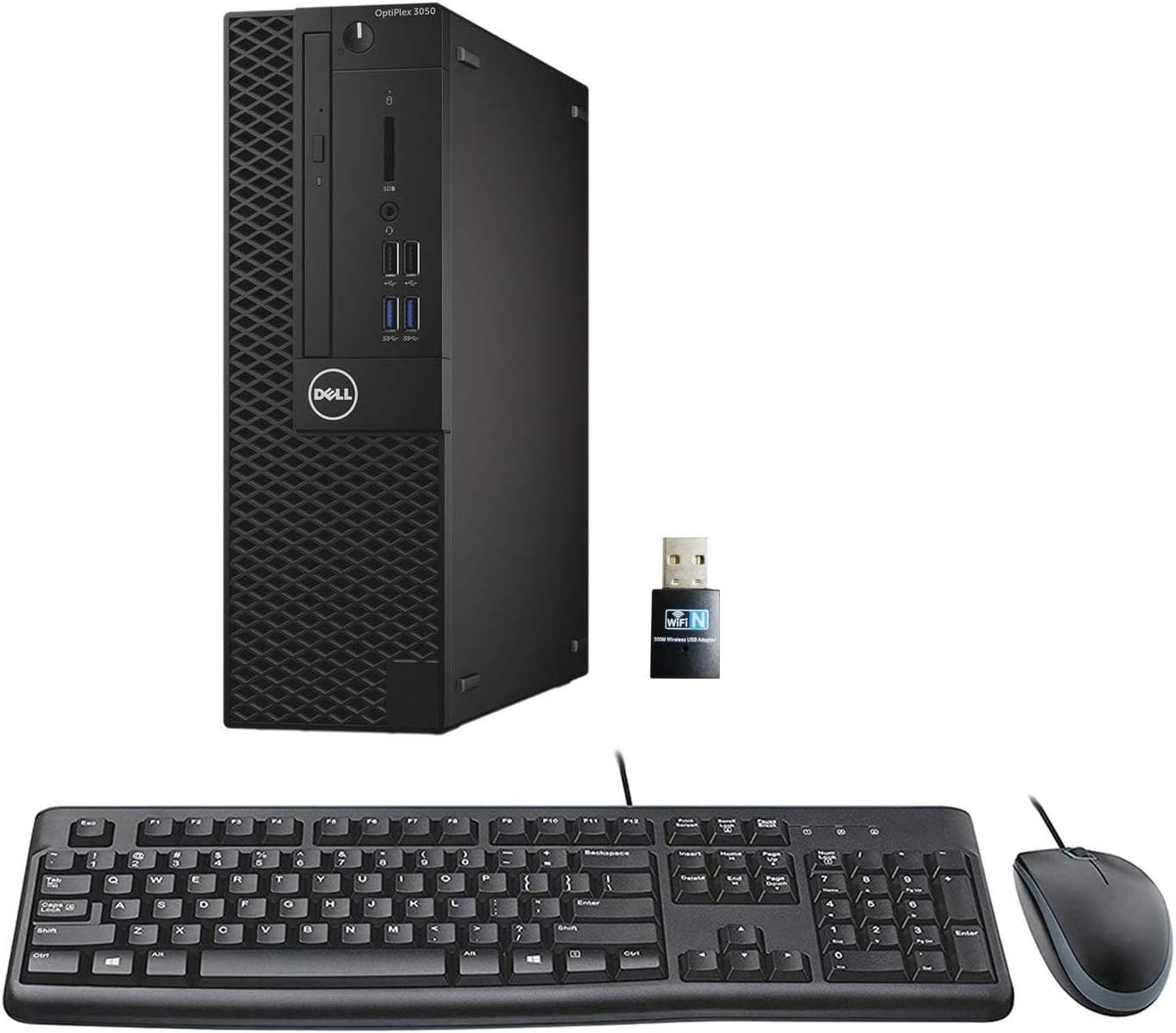
I pulled this dust-free, matte black metal block out of its generic cardboard shipping box and immediately noticed the faint smell of industrial rubbing alcohol. That is the classic calling card of a high-volume refurbishing facility. At just under a hundred and sixty dollars, this Dell Optiplex 3050 Small Form Factor (SFF) promises a cheap entry point into desktop computing. But buying a refurbished machine always feels like a gamble. You are essentially paying for someone else’s retired office hardware.
My job is to tell you if this specific combination of aging silicon and modern storage is worth your hard-earned cash, or if it belongs in a recycling bin.
A Decent Office Workhorse Trapped in an Aging Silicon Shell
The heart of this machine is the Intel Core i5-6500. Let us be realistic here. This is a quad-core processor launched in late 2015. It lacks hyper-threading. In plain English, it handles four tasks at a time, and not a single thread more. For typing documents, managing giant spreadsheets, and keeping twenty browser tabs open, it performs surprisingly well. The system boots fast. Applications jump open without delay.
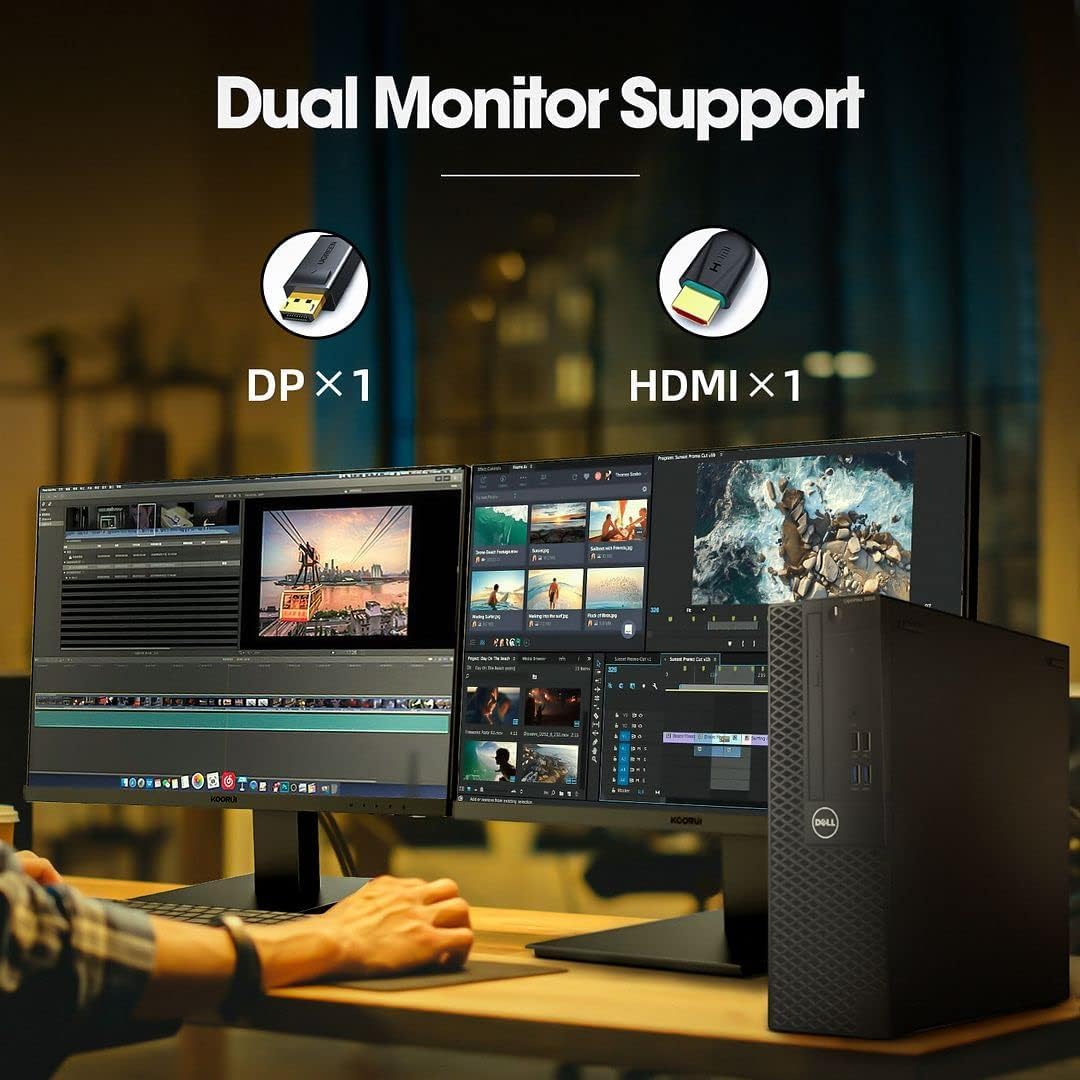
Do not buy this thinking you can edit 4K video or render complex 3D models. It will choke. The integrated Intel HD Graphics 530 chip is built for office displays, not high-end processing. It supports dual monitors via the HDMI and DisplayPort outputs, which is great for productivity. I hooked up two 1080p monitors and the desktop ran smoothly. But trying to run modern, demanding games is out of the question. Light titles like Roblox or Minecraft run fine at lower settings, but that is the absolute ceiling.
| Feature | Dell Optiplex 3050 SFF (Renewed) | HP ProDesk 600 G3 SFF (Renewed) |
|---|---|---|
| Estimated Price | $158 | $165 |
| Processor | Intel Core i5-6500 (Up to 3.6GHz) | Intel Core i5-6500 (Up to 3.6GHz) |
| Memory (RAM) | 16GB DDR4 | 16GB DDR4 |
| Storage | 256GB SSD | 256GB SSD |
| Operating System | Windows 11 Pro (64-Bit) | Windows 11 Pro (64-Bit) |
| Video Ports | 1x HDMI, 1x DisplayPort (4K Dual Display) | 2x DisplayPort (HDMI requires adapter) |
| Form Factor | Small Form Factor (SFF) | Small Form Factor (SFF) |
The RAM and SSD Saving Grace Countered by a Cheap WiFi Dongle
If this computer had a standard mechanical hard drive and 8GB of RAM, it would be completely unusable today. Fortunately, the refurbisher packed this configuration with 16GB of DDR4 RAM and a 256GB Solid State Drive (SSD). This is the sole reason the computer feels snappy. The SSD handles read and write tasks quickly, meaning you are not waiting minutes for the computer to start up.
The biggest physical cut to save budget is the wireless connectivity. This motherboard does not have built-in Wi-Fi. To bypass this, the seller tosses a tiny, generic USB Wi-Fi dongle into the box. It works, but it occupies one of your valuable USB ports and the reception is mediocre. If you are far from your router, expect slow download speeds. I highly recommend running a physical Ethernet cable to the back of the machine if you want a stable connection.
The Windows 11 Compatibility Elephant in the Room
Here is the most critical technical issue you must understand before buying. Microsoft officially states that Windows 11 requires an 8th-generation Intel processor or newer. The i5-6500 inside this machine is a 6th-generation chip. To get Windows 11 Pro running on this computer, refurbishers use bypass methods to skip the hardware check during installation.
While my unit arrived fully activated and running Windows 11 with the Copilot AI features intact, you are at the mercy of Microsoft. A future security update could theoretically block unsupported processors from receiving updates. If you want a machine that complies with every single official hardware requirement for the next decade, you must avoid this PC. However, for a budget machine used for basic tasks, the current setup works perfectly fine out of the box. Setup took me about three hours of downloading cumulative Windows updates, but once finished, it ran stably.
Quiet Thermals and Easy Maintenance Access
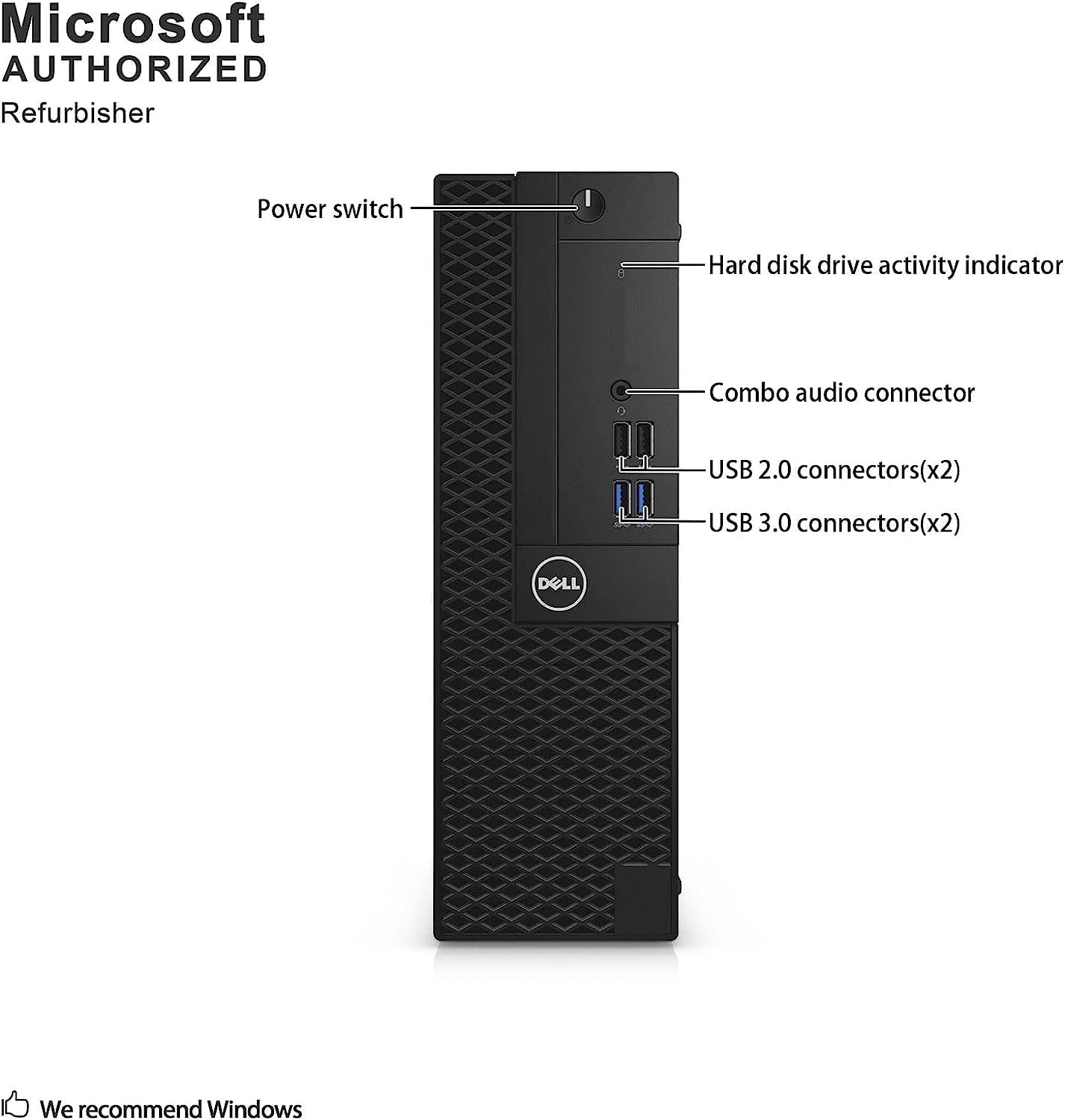
Dell built these business machines to be serviced quickly by IT departments. The side panel pops off with a simple latch system. Inside, the layout is incredibly compact but organized. The cooling fan is surprisingly quiet. Even under load, it emits a low hum rather than a high-pitched whine.
The packaging was secure. The machine arrived wrapped in thick bubble layers, preventing any denting to the metal chassis. The bundled USB keyboard and mouse are cheap, lightweight plastic throwaways. They work in an emergency, but you will want to replace them immediately with something more comfortable.
| Pros | Cons |
|---|---|
|
|
Who Should Avoid This Desktop?
You must absolutely avoid this computer if you want a gaming PC, a video editing suite, or a future-proof machine that officially supports Windows 11 updates without workarounds.
It is, however, an exceptional buy for students, remote workers needing a cheap office terminal, or anyone looking to build a budget home media server. For under two hundred dollars, the hardware value is undeniable, provided you understand the limitations of its older CPU.