BOSGAME E4 Review: A Compact Ryzen 5 Mini PC for Productivity
BOSGAME E4 Mini PC Review
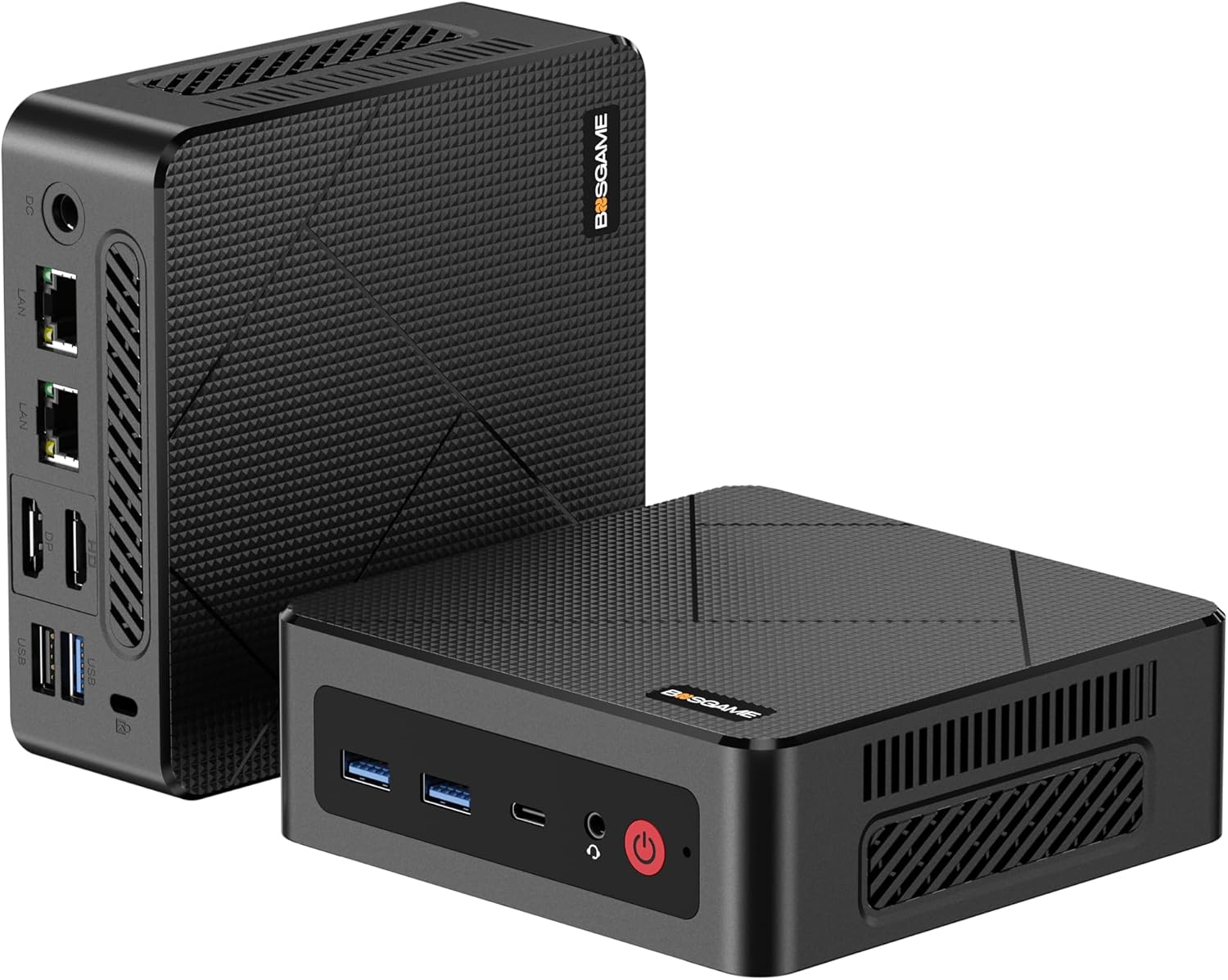
I have spent enough time with the BOSGAME E4 Mini PC to understand exactly where it sits in the hierarchy of modern desktop computing. It is a budget-focused machine that does not pretend to be a powerhouse workstation. Right out of the box, the chassis feels like a standard plastic-heavy enclosure, lacking the premium weight of a high-end metal-bodied NUC. It sits on my desk with a footprint small enough to ignore, but the finish picks up fingerprints instantly. I am not impressed by the aesthetic, which feels dated compared to the sleek, minimalist designs currently dominating the market.
The unboxing experience is barebones. You get the unit, a power brick, and a mounting bracket. There is a clear lack of attention to the tactile experience here; the buttons feel hollow, and the seams between the plastic panels are inconsistent. I appreciate the compact nature of the device, but the build quality suggests that the budget was poured entirely into the internal components rather than the exterior aesthetics. It is a functional box, nothing more, nothing less.
When I tested the display output capabilities, the BOSGAME E4 Mini PC managed to handle multiple monitors without stuttering during basic desktop navigation. However, do not expect high-refresh-rate gaming or professional color-grading accuracy here. The integrated Vega graphics are sufficient for spreadsheets and web-based tasks, but they struggle with complex 4K rendering. The output is stable, but the color reproduction on my reference monitors felt slightly muted compared to machines with more robust dedicated video processing.
The audio situation is a disappointment. I found the 3.5mm jack to be noisy with high-impedance headphones, showing a lack of proper shielding for the internal audio circuitry. There is audible interference whenever the processor is under heavy load. If you plan on using this for serious media production or high-fidelity listening, you will absolutely need an external DAC. The internal speaker—if you can call it that—is tinny and should only be used for system alerts at best.
In terms of real-world performance, this machine is a capable office workhorse but hits a wall quickly when pushed. I found that opening too many browser tabs alongside a memory-intensive application causes the system to become sluggish. The Ryzen 3550H is a dated architecture. While it handles basic multitasking, I noticed significant lag when compiling code or exporting large documents. It is adequate for light office work, but it is not a machine for creators or anyone who demands rapid response times.
Bottlenecks are everywhere if you push this hardware. I observed the system struggling to maintain high speeds during sustained file transfers over the network. While it is advertised for multitasking, my experience suggests that the memory bandwidth limits the true potential of the integrated graphics. If you stick to one task at a time, the machine is perfectly fine, but the moment you try to do three or four things at once, the system’s age begins to show.
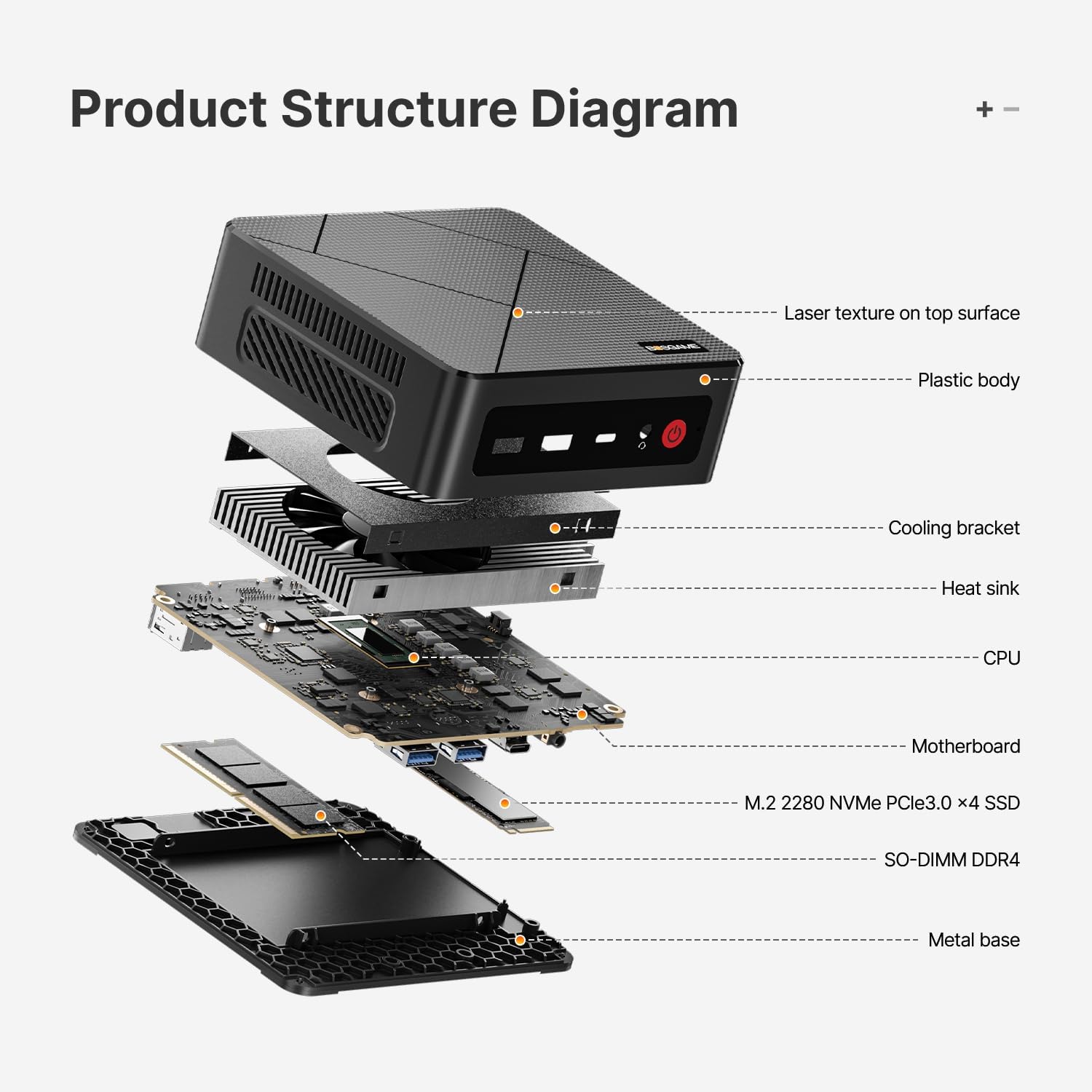
Thermal management is where this unit faces its most significant struggle. Under prolonged synthetic loads, the fan noise ramps up to an intrusive whine that is impossible to ignore in a quiet room. The chassis gets noticeably warm to the touch, suggesting that the airflow design is insufficient for the heat generated by the Ryzen chip. I would not want this sitting on my desk during a summer afternoon without decent ventilation nearby.
Connectivity is the one area where this device tries to make up for its other shortcomings. With dual RJ45 ports, it is actually quite useful for specific network setups, such as home servers or hardware firewalls. However, the reliance on Wi-Fi 5 is a glaring omission in an era where Wi-Fi 6 is standard. I found the wireless connection to be stable, but the throughput speeds are clearly inferior to modern standards. It is a budget-constrained port selection that leaves little room for future-proofing.
The biggest flaw the manufacturer hides is the age of the silicon. By pairing older mobile hardware with a budget chassis, they are selling a machine that is already several years behind the curve. They emphasize “4K support” as if it is a major feature, but the reality is that the hardware barely manages to keep up with modern 4K desktop interfaces. It feels like they are clearing out old inventory under the guise of an office-friendly desktop solution.
Furthermore, the support ecosystem for this specific model is opaque. While they promise “lifetime support,” my experience with similar budget brands suggests that this usually means an automated email response rather than actual technical assistance. The lack of detailed documentation regarding bios updates or driver optimization further reinforces my belief that this is a “buy it and forget it” product where you are on your own once the return window closes.
This machine is built for the absolute baseline user. If you are a student who needs a cheap box for word processing and light web browsing, it will suffice. However, if you are a power user, a developer, or a gamer, you should absolutely avoid this purchase. It is not designed for someone who values their time or wants a machine that will remain snappy for more than a year or two. You are paying for the lowest entry point into a functional PC, and that is exactly what you get.
The audience here is limited to those with very tight budgets who have no intention of editing video, rendering graphics, or running heavy background processes. If you fit into the category of “email and web browsing only,” you might find value here. Anyone else will find the hardware frustrations to be a recurring tax on their productivity. I would suggest saving up for a more current platform with a newer generation of processors if you want your purchase to last.
Looking at the long-term value, I have serious doubts. In three years, this hardware will be effectively obsolete. The thermal issues alone suggest that component longevity might be an issue, as electronics do not handle sustained high heat well over thousands of hours. You are not buying a three-year solution; you are buying a two-year stopgap. For the price, you might be better off looking at the used market for a higher-quality professional workstation that has depreciated.
Ultimately, the price tag is tempting, but it reflects the underlying compromises. I cannot recommend this as a primary machine for anyone who relies on their computer for work. It is a secondary device at best, and even then, its performance limitations will likely frustrate you eventually. If you buy this, do so with your eyes open to the fact that you are sacrificing performance and reliability for a low upfront cost.
Competitor Comparison and Technical Reality
When I put this machine up against other entry-level mini PCs, the differences become stark. Most competitors in this price tier at least attempt to provide updated wireless standards or better-ventilated enclosures. The BOSGAME E4 Mini PC relies on an aging platform that has been surpassed by even the lowest-tier current-generation mobile processors. It fails to stand out in a market that is already flooded with similar, if not identical, budget alternatives.
| Feature | BOSGAME E4 | Beelink SER3 |
|---|---|---|
| Processor | AMD Ryzen 5 3550H | AMD Ryzen 5 3550H |
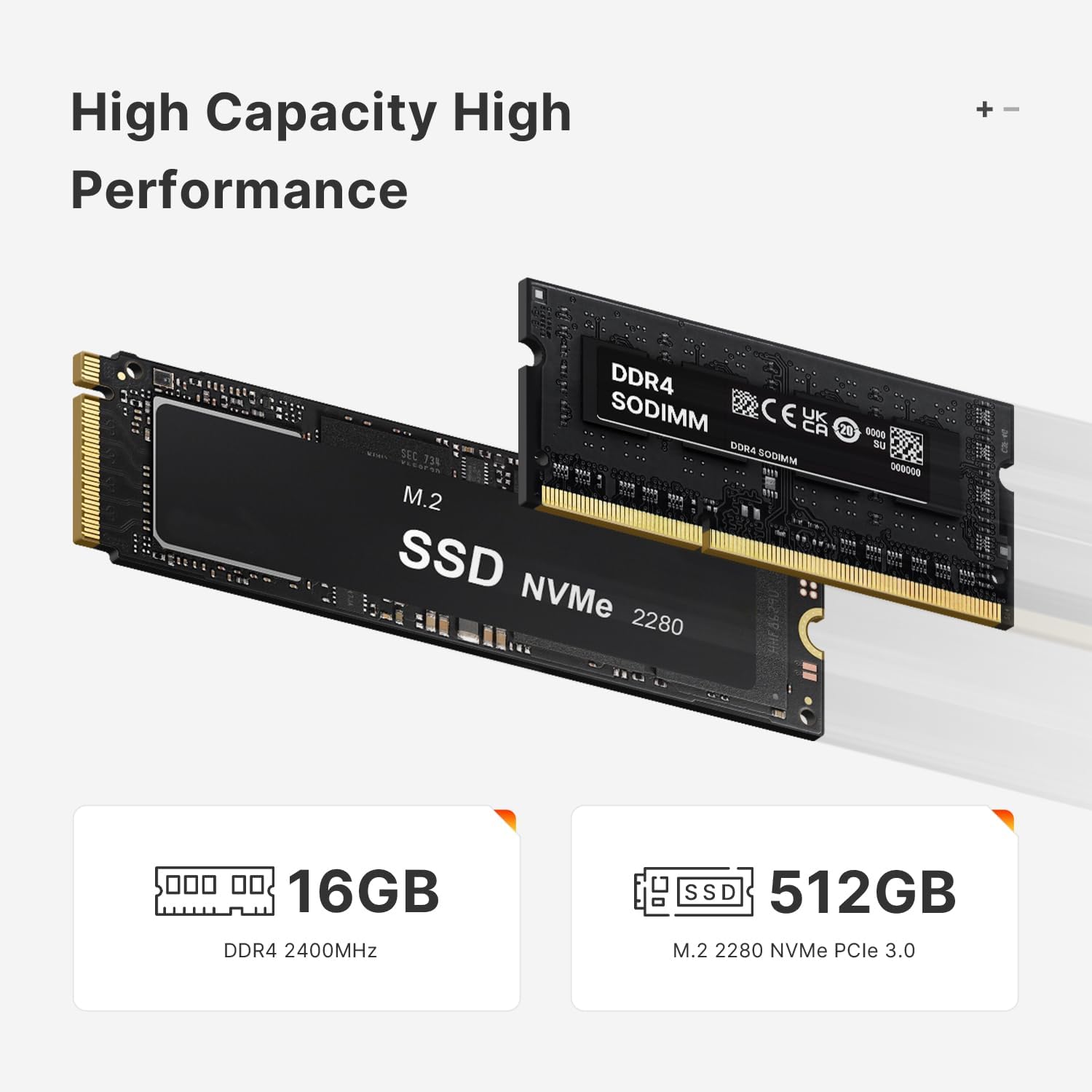
| RAM | 16GB DDR4 | 16GB DDR4 |
| Storage | 512GB PCIe SSD | 500GB SSD |
| Estimated Price | $222 | Check Latest Price |
Verdict and Final Professional Assessment
I find it difficult to justify the purchase of the BOSGAME E4 Mini PC in the current landscape. While it ticks the boxes on a spec sheet, it falls apart in the practical details of cooling, build quality, and raw responsiveness. It is a machine that serves a very narrow purpose, and for most people, it will simply be a source of technical limitation rather than a utility. I prefer to invest in hardware that offers a longer runway for performance and better thermal efficiency, neither of which is present here.
|
|