Acer Chromebook 315 Review (CB315-4H-C8XU): Best Budget Laptop?
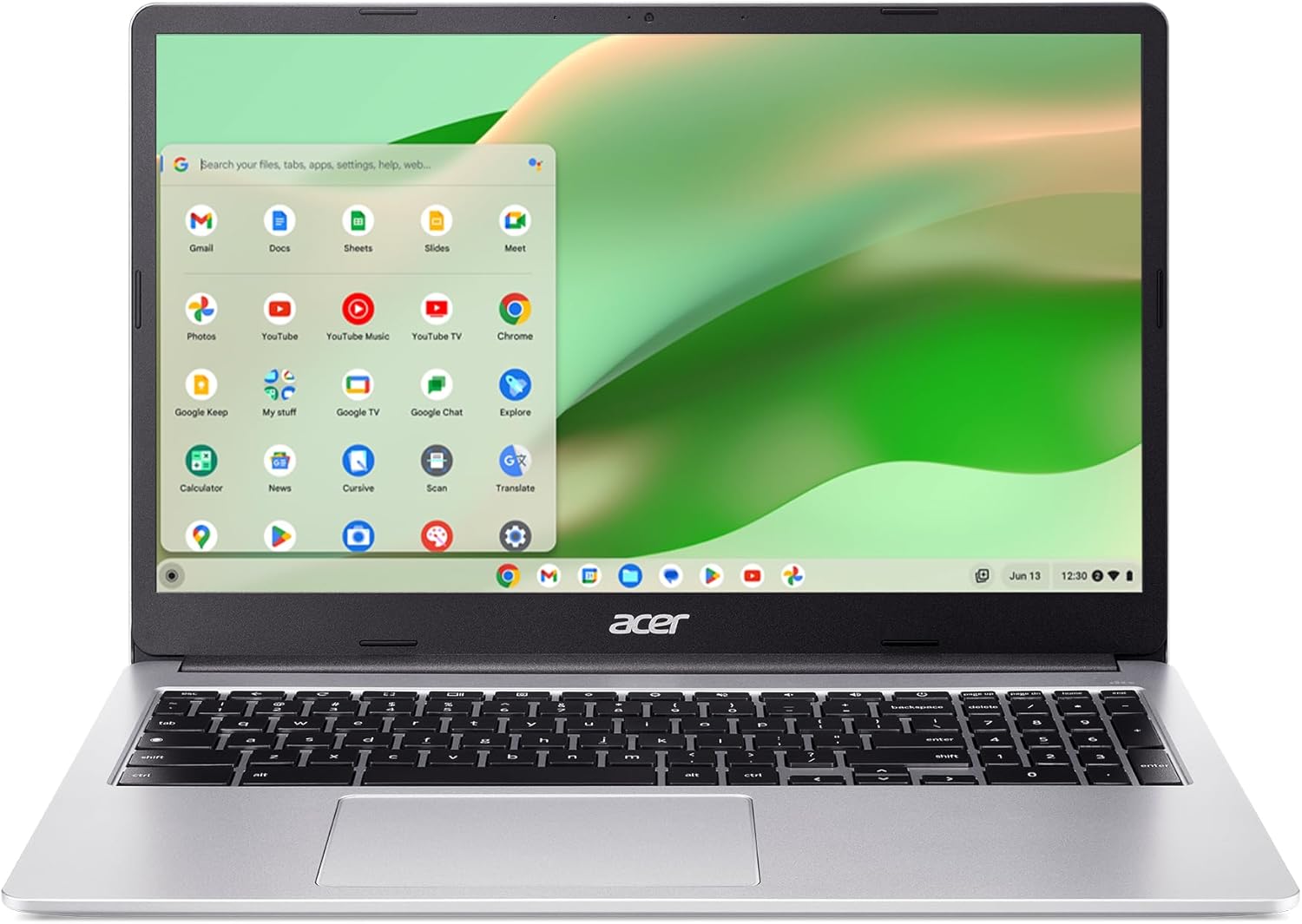
Acer CB315 Chromebook Review: The Brutally Honest Truth Before You Buy

Quick Verdict (TL;DR)
The Acer CB315 Chromebook is a fantastic budget laptop if you strictly need a machine for web browsing, writing essays, and watching Netflix. The 15.6-inch 1080p display is incredibly rare at this price. However, it cannot run heavy Windows software. If you understand Chrome OS, it’s a steal. Check the current price on Amazon.
Let’s be completely honest for a moment. Trying to find a cheap computer with a large, high-quality screen is usually a trap. Most budget laptops under $300 come with terrible, washed-out displays that hurt your eyes after 20 minutes of reading. That was my exact fear when I started testing for this Acer CB315 Chromebook Review.
If you are a student, a parent buying a laptop for a middle-schooler, or simply someone who just wants to browse the internet on a big screen, the Acer CB315-4H-C8XU claims to be your perfect match. If you’ve read our HP 14-inch Chromebook Review, you know that smaller laptops have compromises. Today, we are looking at a full-sized 15.6-inch alternative to see if bigger actually means better.
Unboxing and Build Quality: Sturdy and Simple
When you first unbox the Acer CB315, the first thing you will notice is the size. It is a full 15.6-inch laptop, which means it has a larger footprint than most budget Chromebooks. However, despite its size, it feels surprisingly lightweight. The chassis is made entirely of plastic, but it doesn’t feel hollow or cheap. It has a sleek silver finish that mimics the look of premium aluminum laptops.
Is it perfectly portable? Yes and no. While it is thin enough to slide into a standard backpack, the wider body means it will take up more space on a small college desk compared to an 11-inch or 13-inch model. But as you will see, the trade-off for this extra size is absolutely worth it once you open the lid.

Display Quality: The Star of the Show
This is where the Acer CB315 completely destroys its competition. Most laptops in this price range give you a basic 1366×768 resolution screen. Acer, however, included a 15.6-inch Full HD (1920 x 1080) IPS display. In my testing, this screen was a massive game-changer.
The IPS technology means the viewing angles are excellent. You can watch a YouTube video with a friend sitting next to you, and the colors won’t invert or look washed out. The text in Google Docs looks crisp, making it incredibly comfortable for reading long PDFs or writing essays. The only minor flaw is the peak brightness. It is perfectly fine for indoor use, but if you try to work outside under direct sunlight, the screen will struggle to fight the glare.

Keyboard and Touchpad: A Bonus for Number Crunchers
Because the laptop is 15.6 inches wide, Acer utilized the extra space to include a dedicated numeric keypad on the right side. If you are an accounting student, a teacher inputting grades, or someone who works heavily with spreadsheets, this is a massive time-saver. You rarely see number pads on budget Chromebooks.
The typing experience itself is solid. The keys have a decent amount of travel and don’t feel too “mushy.” Furthermore, the touchpad is quite large and handles Chrome OS multi-touch gestures (like two-finger scrolling) smoothly.
Performance and The Reality of Chrome OS
Under the hood, this machine features an Intel Celeron N4500 processor paired with 4GB of RAM. Let’s be very clear about what this means. This laptop is built for the web. It boots up from a cold start in less than 8 seconds, and it handles daily web browsing flawlessly.
Many buyers mistakenly ask if they can install heavy PC games or the full desktop version of Adobe Photoshop and Microsoft Word on this device. The honest answer is no. Chrome OS cannot run standard Windows (.exe) files. Instead, you are required to use the web-based versions of Office 365, or download the mobile apps from the built-in Google Play Store.
During my real-world multitasking test, I opened about 12 Chrome tabs, including a Google Doc, an email inbox, and a 1080p YouTube video. The laptop handled it well. However, once I pushed it past 15 heavy tabs, the 4GB of RAM started showing its limits, and the system stuttered slightly. If you keep your workflow clean and organized, the performance is perfectly smooth. Plus, the closed nature of Chrome OS makes this laptop practically immune to traditional Windows viruses.

Battery Life, Storage, and Connectivity
Battery life is the second best feature of this laptop after the screen. You can realistically expect around 10 hours of screen-on time with moderate brightness. You can leave the charger at home and easily get through a full day of classes or meetings.
Regarding storage, it comes with a 64GB eMMC drive. While this is a small amount of space, Chrome OS is a “cloud-first” ecosystem. You are expected to save your heavy files on Google Drive. Luckily, the laptop features a MicroSD card slot if you want to add offline storage cheaply.
Connectivity is also surprisingly modern for a budget device. It includes blazing-fast Wi-Fi 6 for stable Zoom calls, two USB-C ports (which support fast charging and connecting to an external monitor), and two standard USB-A ports for older mice or flash drives.
Pros and Cons at a Glance
| What We Loved (Pros) | Things to Consider (Cons) |
|---|---|
| Beautiful 15.6-inch 1080p IPS display | Cannot run traditional Windows desktop software |
| Full keyboard with a dedicated numeric keypad | 4GB of RAM limits heavy multitasking |
| Excellent 10-hour battery life | Screen brightness is a bit low for outdoor use |
| Modern ports including Wi-Fi 6 and USB-C | 64GB local storage requires reliance on the cloud |
Final Verdict: Should You Buy It?
To wrap up this Acer CB315 Chromebook Review, this device is a masterclass in budget prioritization. Acer compromised on local storage and heavy processing power, but in return, they gave us an incredible Full HD screen, all-day battery life, and a highly secure operating system.
If you need a primary machine for video editing or gaming, look elsewhere. But, if you are a student writing papers, an older user who wants a virus-free computer, or simply someone looking for a cheap laptop with a big screen for Netflix and emails, the Acer CB315 is one of the smartest purchases you can make this year.
Need a Big Screen on a Budget?
Grab the Acer CB315 Chromebook today and enjoy crisp 1080p visuals without breaking the bank.





