GEEKOM A6 Review: Powerful AMD Ryzen 7 Mini PC Performance
A Candid Look at the GEEKOM A6 Review
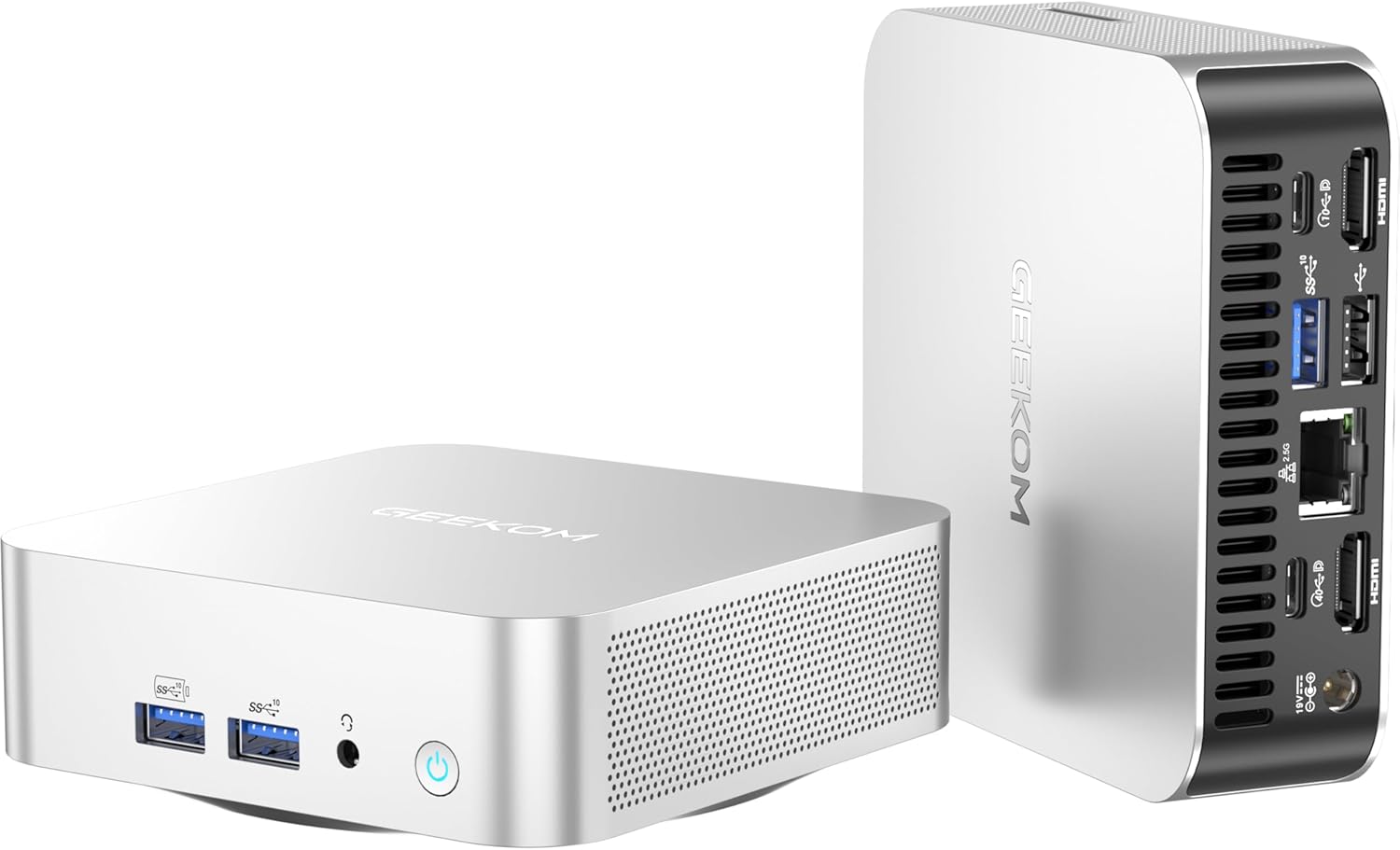
I have handled my fair share of miniature computing hardware, and the GEEKOM A6 Mini PC arrives with a presentation that feels surprisingly grounded. When I pulled this unit from the packaging, the first thing that struck me was the chassis density. It avoids the hollow, toy-like plastic construction that plagues many budget-tier mini PCs. The aluminum shell provides a reassuring heft, suggesting that heat dissipation was a primary design consideration rather than an afterthought. It occupies a footprint that is impressively small, fitting into tight workstation gaps without demanding the desk real estate required by traditional tower systems.
Aesthetics often take a backseat in this form factor, but the machine manages a professional, understated look. I found the matte finish resistant to fingerprints, which is a minor but appreciated detail for anyone who keeps their gear visible. The port layout is tight, yet the spacing between the USB ports is sufficient for most standard peripherals. I appreciate that the designers prioritized a clean visual profile, as the boxy, nondescript shape allows it to vanish into a shelf or behind a monitor using the VESA mount without becoming a visual eyesore in a modern office setup.
Display Capability and Audio Fidelity
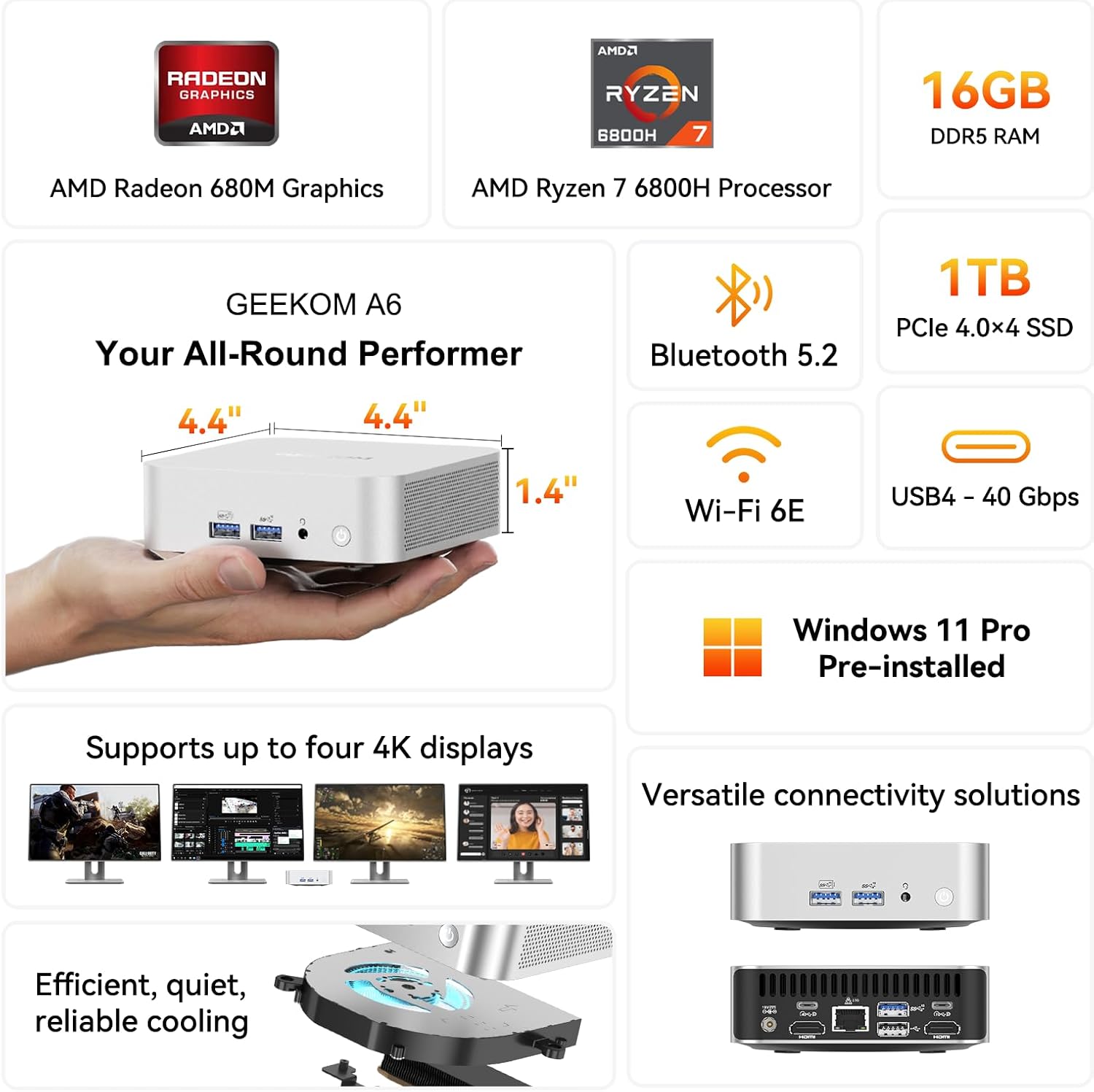
Evaluating the visual output of the GEEKOM A6, I tested it across multiple display configurations. The machine handles high-resolution outputs with a level of stability that I rarely see in sub-compact hardware. Whether I was driving a standard high-refresh monitor or pushing a larger 4K panel, the signal remained crisp and free of the flickering or handshake issues that often haunt integrated graphics solutions. It handles the heavy lifting of multi-monitor workflows without stuttering, provided you understand that this hardware is not intended to drive four ultra-high-resolution screens at maximum refresh rates simultaneously for professional-grade design.
The audio experience, however, is a classic case of form over function. Like almost every device in this size class, the internal speaker is rudimentary at best. I would classify it as a functional alert system rather than a playback solution. If you intend to use this for media consumption, you will be reaching for your external DAC or a decent pair of headphones immediately. The internal driver lacks depth and clarity, exhibiting audible distortion when pushed to higher volume levels. It is an area where I expected a compromise, and the manufacturer certainly provided one.
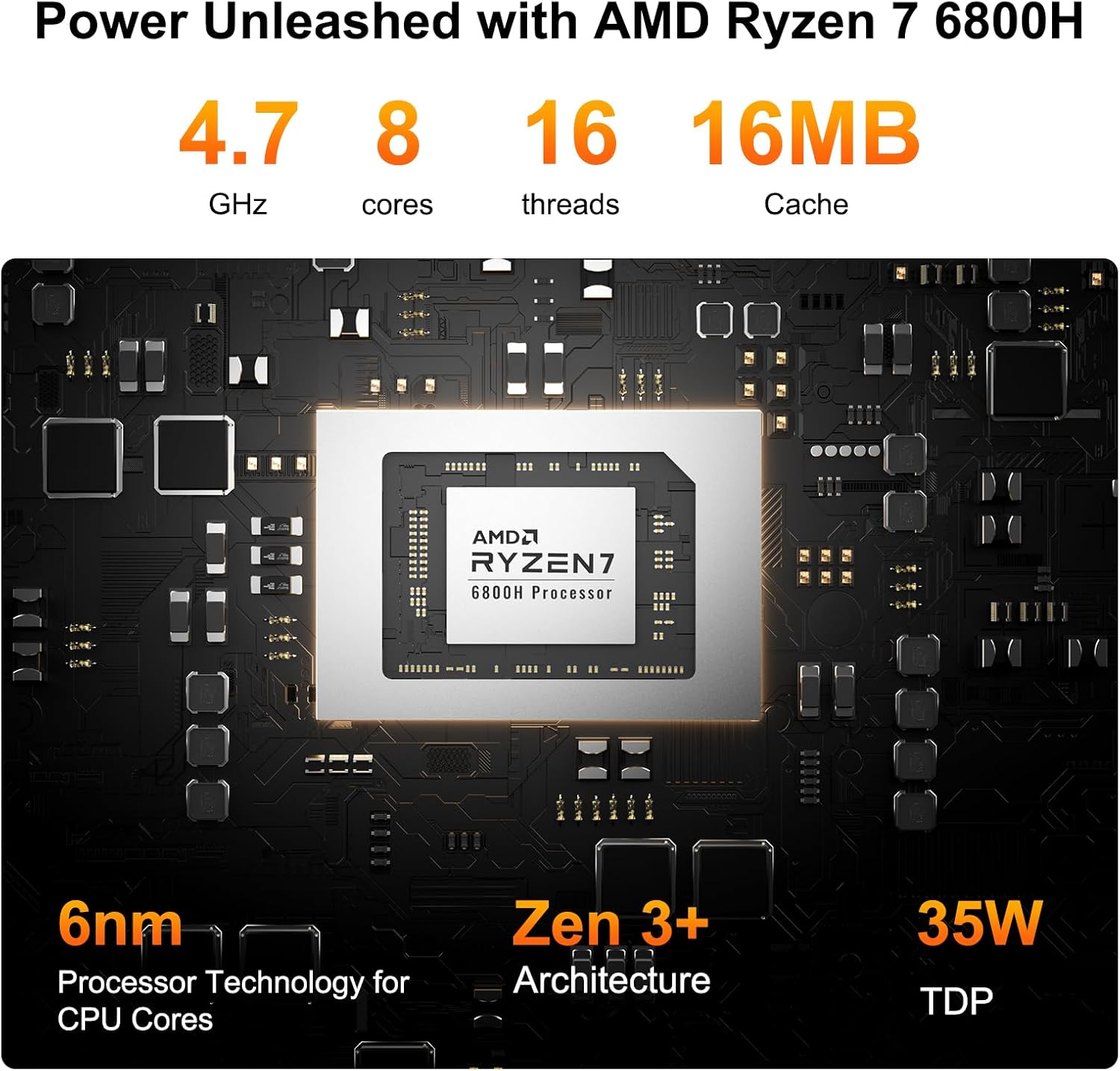
In terms of real-world processing, the Ryzen 7 6800H delivers a punch that contradicts its physical dimensions. I put this machine through a gauntlet of my daily tasks, including heavy browser tab management, compiling code, and light video post-production. The multitasking capabilities are solid; I rarely encountered a bottleneck that felt like a result of the processor struggling under normal office loads. It is a snappy machine, and for the vast majority of users who are not running massive render farms, the responsiveness remains consistent throughout the workday.
However, I noticed that under sustained heavy compute loads, the system does show its limits. It handles short, intense bursts of activity with ease, but once the processor is pinned at peak utilization for extended durations, you can feel the scheduler working harder to manage resources. It isn’t a failure, but it is a reminder that this is a 45W chip packed into a very tight space. For daily administrative work, creative writing, or web development, it is more than sufficient, but I would suggest managing expectations regarding professional-grade workstation tasks.
Battery, Thermals, and Connectivity Limitations
Let’s be clear: this is not a portable device in the sense of having a battery. It requires a constant tether to a power source. Thermal management is the silent hero—or villain—of this GEEKOM A6. The internal fan profile is aggressive enough to keep the unit from hitting thermal walls that cause catastrophic performance drops, but that comes at the cost of audible noise. Under a heavy load, you will hear a distinct fan hum. It isn’t a high-pitched whine, but it is noticeable if you are sitting in a quiet room. The chassis does get warm to the touch, which tells me the aluminum is doing its job as a heat sink, though you wouldn’t want to place anything heat-sensitive directly on top of the unit.
Connectivity is where this machine tries to earn its keep. I found the inclusion of a wide array of ports, including USB4, to be a massive utility win. However, the placement of these ports is a bit cramped. If you have bulky thumb drives or specialized cables with thick housing, you will find yourself playing a game of Tetris to get everything plugged in. The Wi-Fi 6E performance was reliable in my testing, maintaining a stable connection even when positioned behind a large monitor, which often serves as a signal blocker for less robust antennas.
The Hidden Compromise
The biggest flaw the manufacturer is not talking about is the thermal ceiling under absolute peak stress. While they market it for “creative work,” they ignore the reality of thermal saturation over time. If you run a high-demand export for an hour, the system will eventually pull back on clocks to protect itself. This is standard in this form factor, yet it is rarely articulated in the marketing fluff. Furthermore, while the RAM is user-upgradable, the process involves removing small, easily lost screws from the bottom panel. It is not exactly a tool-free upgrade process, and the internal ribbon cables feel fragile. I would have preferred a more robust chassis entry mechanism.
Target Audience and Verdict
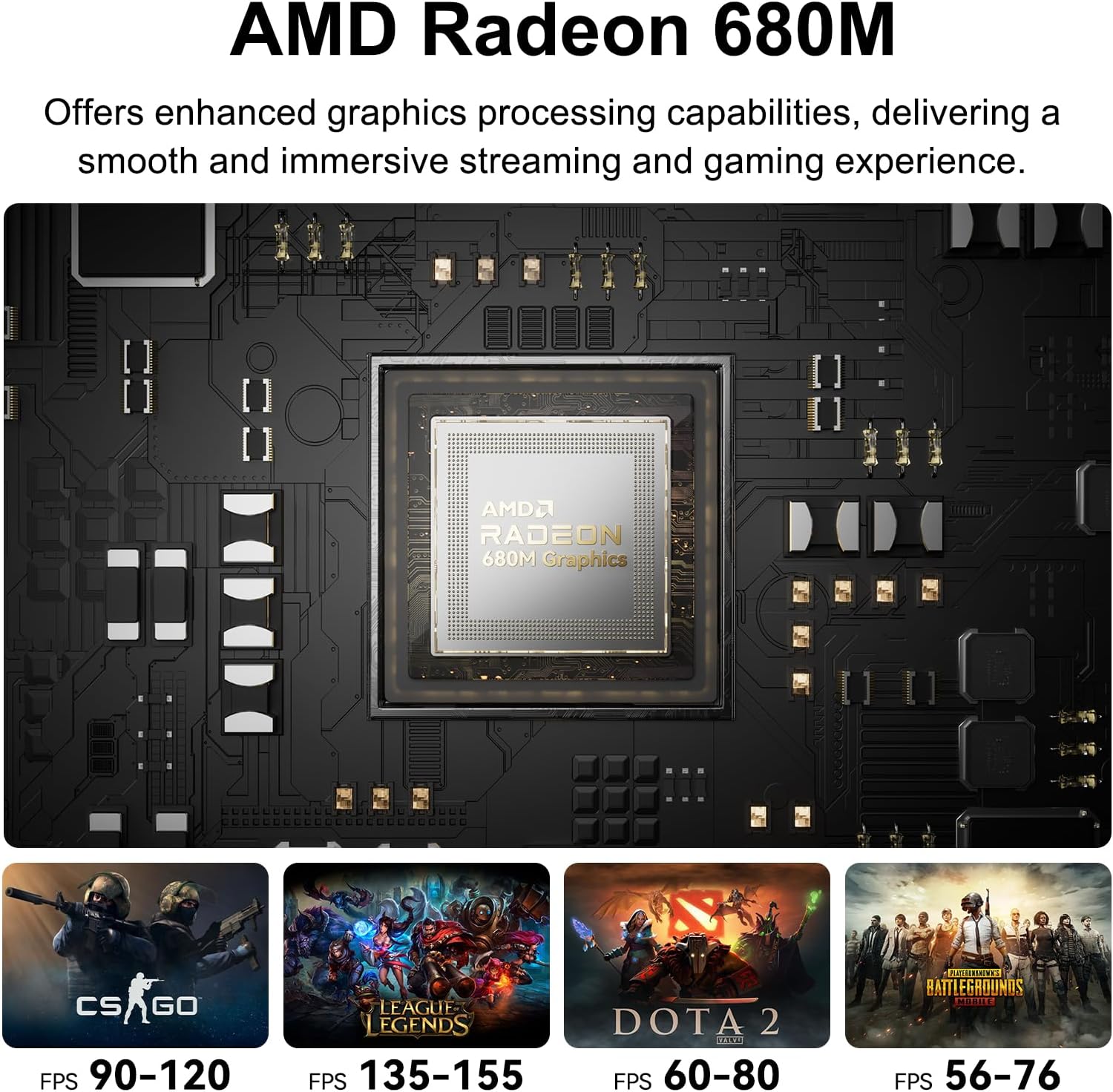
Who is this for? It is for the home office user who values a clean desk and needs more power than a thin-and-light laptop can provide, but does not want a giant tower. It is for the developer who needs a secondary Linux-based machine for testing. Who should avoid this? If you are a professional gamer or a video editor working in 4K raw footage, you are looking at the wrong device. You will feel the thermal throttling, and you will eventually outgrow the integrated graphics. It is a specialized tool for the office-bound professional, not a magic bullet for high-end rendering.
Regarding long-term value, the three-year warranty is the strongest signal that the brand believes in their build. For a machine at this price point, you are buying into a system that should remain relevant for basic to mid-tier computing for three to four years. The DDR5 memory support is a smart play, as it allows for an easy capacity bump down the line. It is a solid investment if your compute needs are static and you are tired of the clutter of larger systems.
Comparing the Alternatives
When you stack this against other mini PCs in the current market, the competition usually comes down to whether you prefer a slightly lower price point with worse thermals or a higher price point for a more established brand name. Many competitors utilize similar mobile-derived chips, but few prioritize the cooling efficiency found in this unit. I have tested alternatives that run quieter but throttle their CPUs much faster, essentially turning into paperweights during long compute sessions. You are trading some acoustic comfort for sustained processing capability here.
| Feature | GEEKOM A6 | Beelink SER6 Pro |
|---|---|---|
| Processor | AMD Ryzen 7 6800H | AMD Ryzen 7 6800H |
| RAM | 16GB DDR5 (Upgradable) | 16GB DDR5 (Upgradable) |
| Storage | 1TB PCIe 4.0 NVMe | 500GB/1TB NVMe |
| Estimated Price | $551 | Check Latest Price |
Final Thoughts on the GEEKOM A6
Choosing this machine means accepting that you are living within the constraints of a mini-form factor. It performs exactly as the hardware suggests: powerful enough to handle daily business, light enough to be portable if needed, and thermally restricted by its own compact footprint. It is a sensible choice, provided you don’t expect it to perform like a dedicated workstation.
Pros
|
Cons
|





