Dell OptiPlex 7050 Review: Compact Powerhouse Desktop
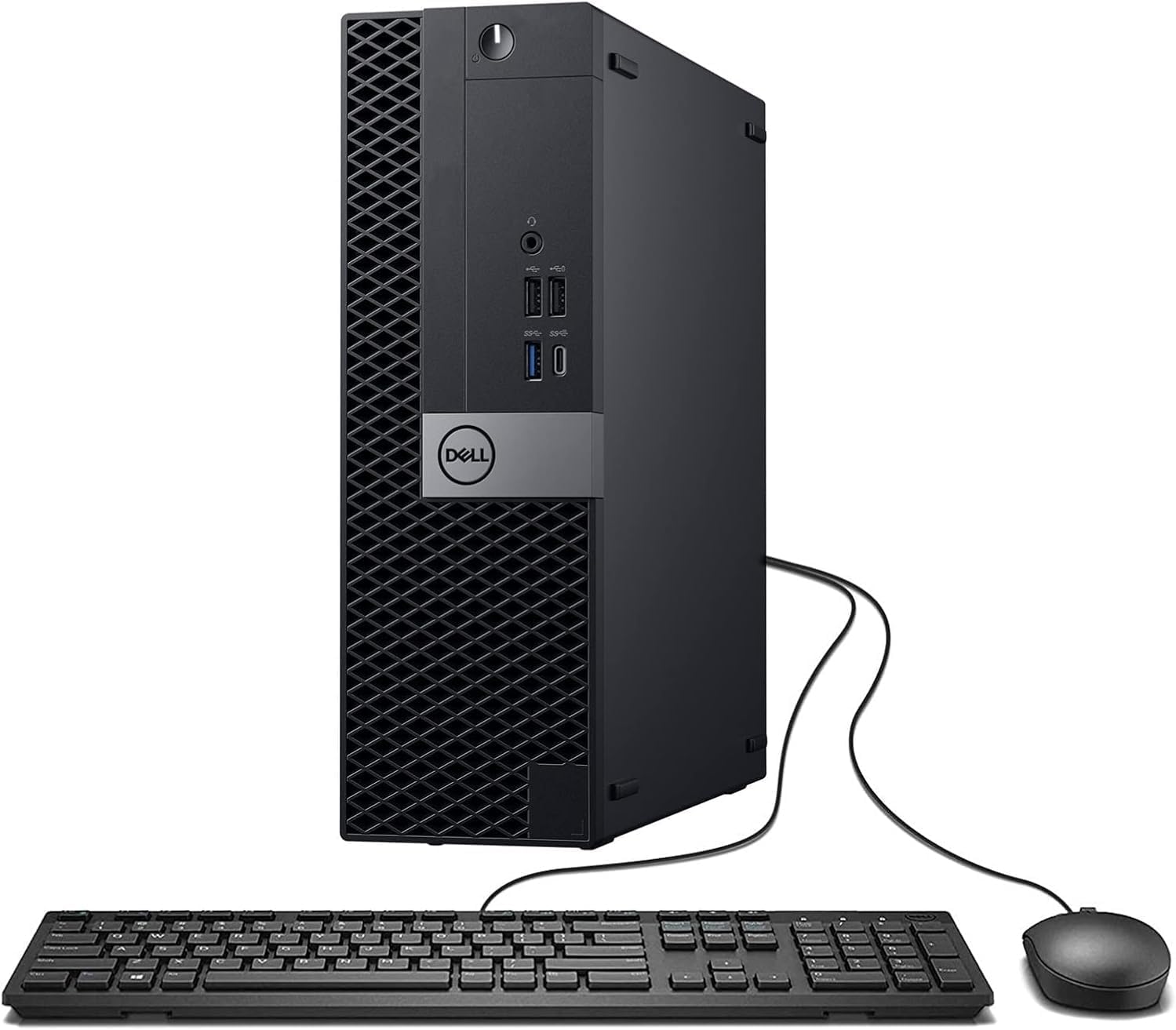
My initial encounter with the Dell OptiPlex 7050 SFF Review subject left me under no illusions regarding its age. This is industrial hardware, stripped of any consumer-grade aesthetic flair. The chassis is a dense, utilitarian box of stamped steel and hard-wearing plastic that feels like it could survive a drop from a desk without internal misalignment. It is heavy for its size, suggesting a build quality that prioritizes structural integrity over modern portability, which is exactly what I expect from this line of business-class machines.
Aesthetics are non-existent here; the front panel is a sea of ventilation mesh and business-appropriate black plastic. While some might find it boring, I appreciate the lack of pretense. It occupies very little desk real estate, but you need to be aware that the Small Form Factor designation forces a specific internal layout that makes future hardware expansion a headache. Opening the side panel reveals a tightly packed interior where cables are routed with precision, though the lack of space makes upgrading the GPU or secondary storage a task for those with patience and slender fingers.
Display and Audio Capabilities of the Dell OptiPlex 7050 SFF
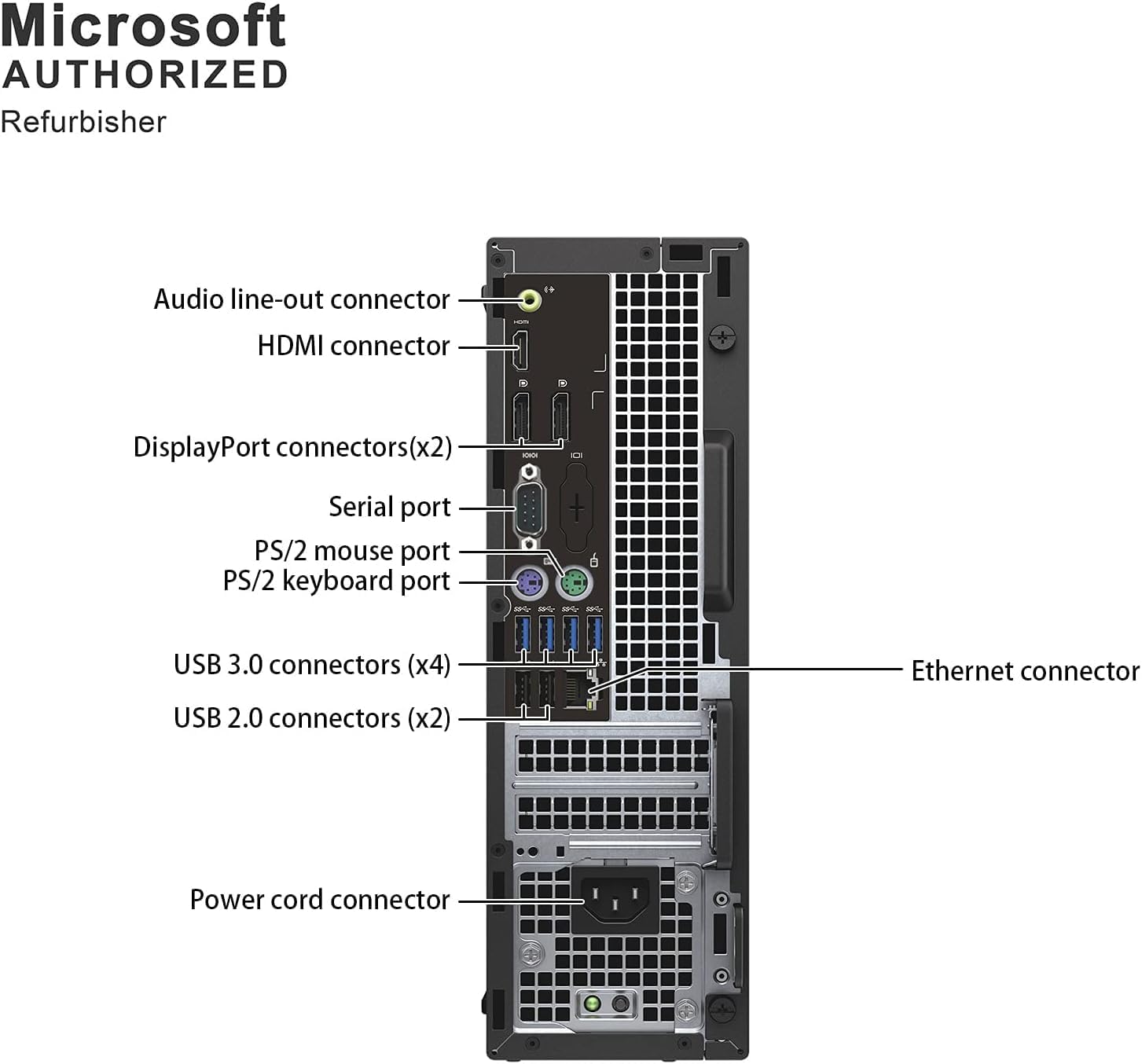
Connecting this desktop to a modern monitor setup is straightforward thanks to the included DisplayPort and HDMI outputs. I tested the machine with a dual-monitor array, and it handled the signal distribution without any flicker or handshake issues. However, keep in mind that the integrated graphics are strictly for productivity. You are not going to be editing 4K video or doing serious color grading here; the output is crisp enough for spreadsheets, web browsing, and document management, but it lacks the nuance required for professional creative work.
Audio is handled by a basic internal speaker that I consider a mere placeholder for system beeps and low-priority alerts. If you intend to use this for media consumption, you will be disappointed by the thin, hollow sound signature that lacks any meaningful bass response. It is serviceable for a video conference in a quiet room, but any serious audio task demands an external DAC or at least decent powered speakers connected via the rear I/O. The integrated audio jack is functional but produces a noticeable noise floor when paired with sensitive headphones.
Real-World Performance and Bottlenecks
The core processor, while several generations old, remains surprisingly capable for daily office chores. I threw a heavy multitasking load at this system, keeping dozens of browser tabs open alongside local document processing, and it did not buckle. The RAM capacity is a massive boon; having 32GB of memory ensures that you won’t hit a wall while jumping between background applications. Windows 11 feels snappy enough, though you can tell the underlying architecture is aging when performing deep file indexing or large batch exports.
Do not mistake this for a workstation. While the SSD makes boot times quick and system responsiveness snappy, the processor architecture will show its limitations if you try to push it into heavy computational tasks. I noticed that when the machine is pushed to its absolute limit, the system latency increases, and the thermal overhead begins to dictate clock speeds. It is an excellent office workhorse, but it is not a machine designed to sustain heavy rendering or massive compilation tasks for extended periods.
Battery Life, Thermals, and Connectivity
Since this is a desktop, battery life is not a factor, but power efficiency is. The unit runs relatively cool during idle periods, but the internal fan ramps up quite audibly under load. It is not an annoying high-pitched whine, but rather a constant, low-frequency hum that reminds you that you are pushing a compact cooling system to its capacity. Airflow is restricted by the SFF housing, so I would caution against placing this in a confined, poorly ventilated cabinet if you plan on using it for intensive tasks.
Regarding connectivity, the abundance of USB ports is a highlight. Having a mix of 3.0 and 2.0 ports allows you to plug in legacy peripherals alongside modern fast drives without needing a hub. The inclusion of an external USB WiFi adapter is a compromise, as it occupies a port and lacks the speed and stability of an integrated internal card. I strongly recommend relying on the Ethernet port if you want a stable connection for large file transfers or video calls.
The Biggest Flaw of this Dell OptiPlex 7050 SFF
The glaring flaw is the proprietary nature of the internals. Dell manufactured this machine with non-standard power supplies and motherboard layouts that make standard upgrades nearly impossible. If the power supply fails, you cannot just buy a standard unit from the store; you are locked into sourcing proprietary parts, which can be expensive or unavailable as the machine ages further. This is a design choice that essentially forces planned obsolescence.
Furthermore, the physical space inside the case is a nightmare for those who like to tinker. The storage bays and the way the optical drive cage sits over the motherboard make even a simple SSD swap feel like a game of Jenga. The manufacturer clearly designed this to be a set-it-and-forget-it office appliance, and they actively discourage any form of hardware modification by the end-user.
Target Audience and Who Should Avoid This
This machine is perfect for students on a budget, home office users who need a dedicated machine for clerical work, or small business owners who need a reliable, cheap terminal for POS systems or basic record keeping. It is a value-driven purchase for someone who understands that they are buying a legacy processor and a proprietary chassis in exchange for a low entry price.
You should absolutely avoid this if you are a gamer, a video editor, or someone who wants a machine that can be modified over the next five years. If you value aesthetics, whisper-quiet operation, or the ability to upgrade your graphics card, look elsewhere. This is a tool, not a centerpiece, and it will eventually become a liability when the hardware finally hits the end of its support lifecycle.
Long-Term Value and Conclusion
Looking at the price point, the value proposition is solid for the immediate term. You get a machine that is ready to work the moment it comes out of the box, with enough RAM to keep Windows 11 happy for a few more years. However, I have reservations about the long-term utility of the i7-7700. We are already seeing modern software optimizations that leave older instructions sets behind, and in three years, this machine will likely be relegated to a secondary browsing device or a home media server.
If you need a cheap, reliable computer today, this fits the bill. Just do not expect it to be the core of your digital life for half a decade. It is a stop-gap machine, built for utility, and priced to move. It performs exactly as the hardware specs suggest—no more, no less.
Comparison and Final Verdict
When comparing this against modern mini-PCs or used business laptops, the Dell OptiPlex 7050 SFF holds its ground in terms of raw connectivity but loses on power efficiency and footprint. Modern NUC-style devices often match this performance in a quarter of the size, though they often lack the same level of port density. If you need a desktop that feels “full-sized” in terms of legacy ports, this remains a relevant option, but it is certainly not the only choice for an entry-level office machine.
| Feature | Dell OptiPlex 7050 SFF | HP EliteDesk 800 G3 SFF |
|---|---|---|
| Processor | Intel Core i7-7700 | Intel Core i7-7700 |
| RAM | 32GB DDR4 | 16GB DDR4 |
| Storage | 1TB SSD | 512GB SSD |
| OS | Windows 11 Pro | Windows 10 Pro |
| Estimated Price | $348.00 | Check Latest Price |
Ultimately, my verdict on this refurbished unit is one of guarded approval. It does what it says on the tin, provided you have realistic expectations about its age and expandability. It is a sensible purchase for someone who needs a functional desktop PC without the premium price tag of a brand-new system.
|
|





