Lenovo ThinkCentre M710 SFF Review: Best Budget Business PC?
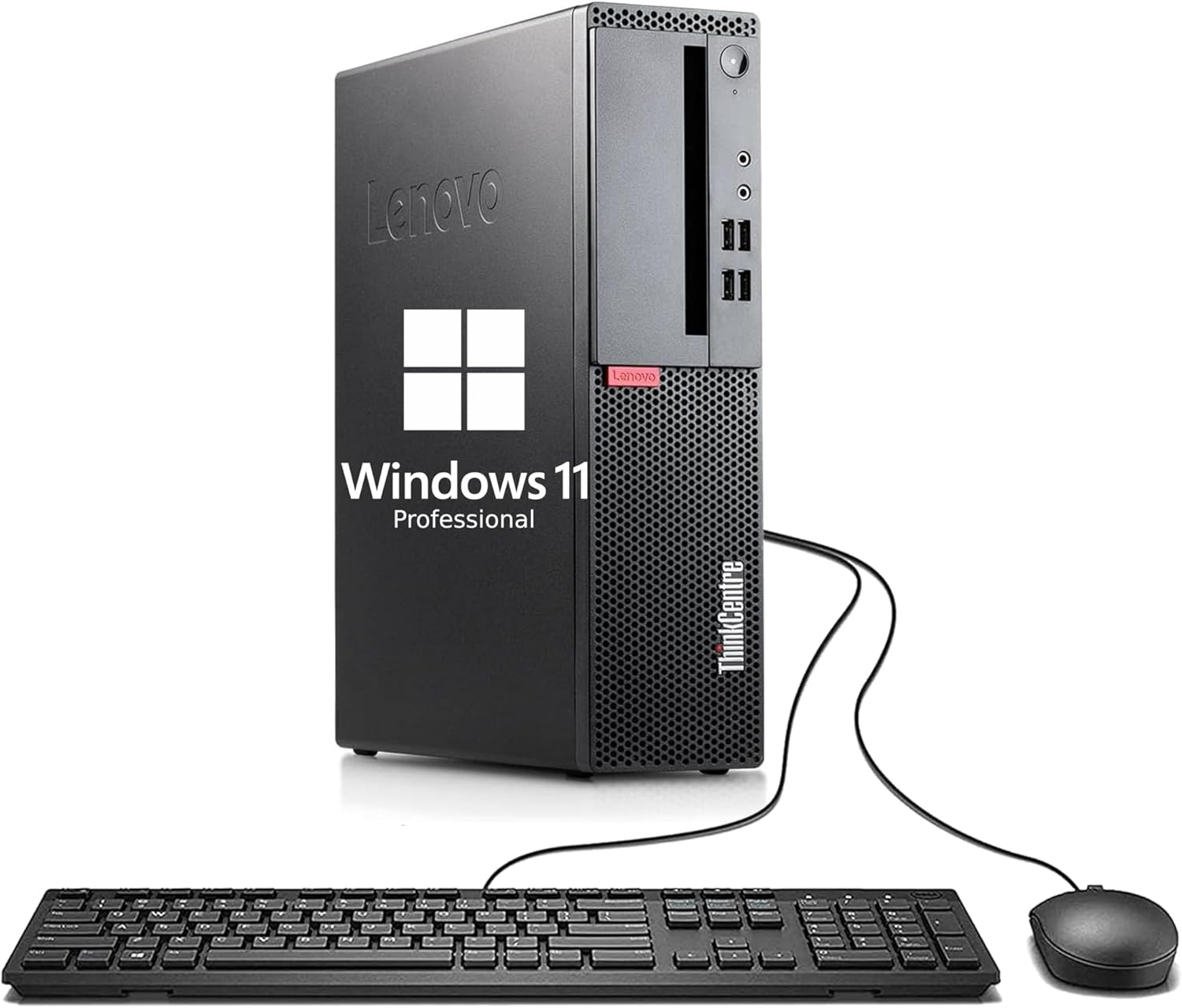
Lenovo ThinkCentre M710 SFF Review: The Tiny Powerhouse for Your Desk

Let’s be honest: We have all struggled with a cluttered desk at some point. You want a powerful computer, but you don’t want a massive metal box taking up all your space. I remember the first time I saw a “Small Form Factor” PC; I was skeptical. However, after using it, I realized that size isn’t everything. This is exactly where our Lenovo ThinkCentre M710 SFF Review begins.
If you are looking for a reliable partner for your home office or small business, you are in the right place. Recently, we’ve been testing several Lenovo products, including our popular Lenovo IdeaPad Slim 3 review. But today, it’s all about the desktop. Let’s dive deep into this Lenovo ThinkCentre M710 SFF Review and see if it can truly handle your daily grind.
First Impressions: The “Shoebox” That Could
When you first unbox the Lenovo M710 SFF, you will notice how incredibly compact it is. It’s roughly the size of a large shoebox. Therefore, it fits perfectly in tight corners or even horizontally under your monitor. Despite its small size, it feels like a tank. Lenovo’s “Think” brand is famous for durability, and this machine definitely carries that DNA.
Moreover, the design is strictly professional. It doesn’t have flashy lights, but it has something better: functionality. Every inch of this chassis is designed to stay cool and stay quiet. Consequently, it is a perfect fit for a quiet library or a busy corporate office.
Performance: Is an i3 Still Enough?
You might see the “Intel Core i3-6100” label and feel a bit worried. However, in our Lenovo ThinkCentre M710 SFF Review tests, we found it surprisingly snappy. For everyday tasks like crushing spreadsheets, managing 15 browser tabs, and attending Zoom calls, it performs beautifully. It isn’t a gaming beast, but it is a productivity champion.
Additionally, the 256GB SSD is the secret ingredient here. Because of this fast storage, Windows 11 Pro boots up almost instantly. You won’t have time to finish your first sip of coffee before the desktop is ready. Combined with 8GB of RAM, multitasking feels smooth and reliable for most office workers. For more tips on hardware, you can check the official Lenovo support page.
“The M710 SFF is proof that you don’t need a giant tower to get serious work done.”
Upgradeability: A Techie’s Dream
One of my favorite things about this PC is how easy it is to open. Lenovo designed this with a “tool-less” chassis. Therefore, you don’t need a toolbox just to add more memory or change a drive. If you find that 8GB of RAM isn’t enough for you in the future, you can easily pop in more. This flexibility makes it a much better long-term investment than a sealed laptop.

Connectivity: Don’t Throw Away Your Old Monitor!
Modern PCs often remove all the useful ports, but not this one. The M710 SFF features plenty of USB 3.1 ports for fast data transfers. Furthermore, it includes both VGA and DisplayPort. Consequently, you can use your older monitor or set up a modern dual-screen workstation without buying expensive adapters. This practical approach is why so many small businesses love the ThinkCentre line.
Pros and Cons at a Glance
| What We Loved (Pros) | What Could Be Better (Cons) |
|---|---|
| Extremely space-saving and sturdy design | Not powerful enough for 4K video editing |
| Fast SSD makes the OS feel very snappy | The i3 processor is for office work, not gaming |
| Easy to upgrade without special tools | Only 8GB of RAM out of the box |
The Final Verdict: Who is it for?
In conclusion, this Lenovo ThinkCentre M710 SFF Review shows that this PC is a fantastic budget-friendly choice. If you are a student, a freelancer, or a small business owner, this desktop provides exactly what you need: reliability. Ultimately, it’s about getting a professional-grade machine that won’t break your bank or crowd your desk.
Ready to Simplify Your Workspace?
Get the Lenovo ThinkCentre M710 SFF today and experience professional speed.





