Lenovo IdeaCentre V100 Review: A Compact All-in-One Desktop
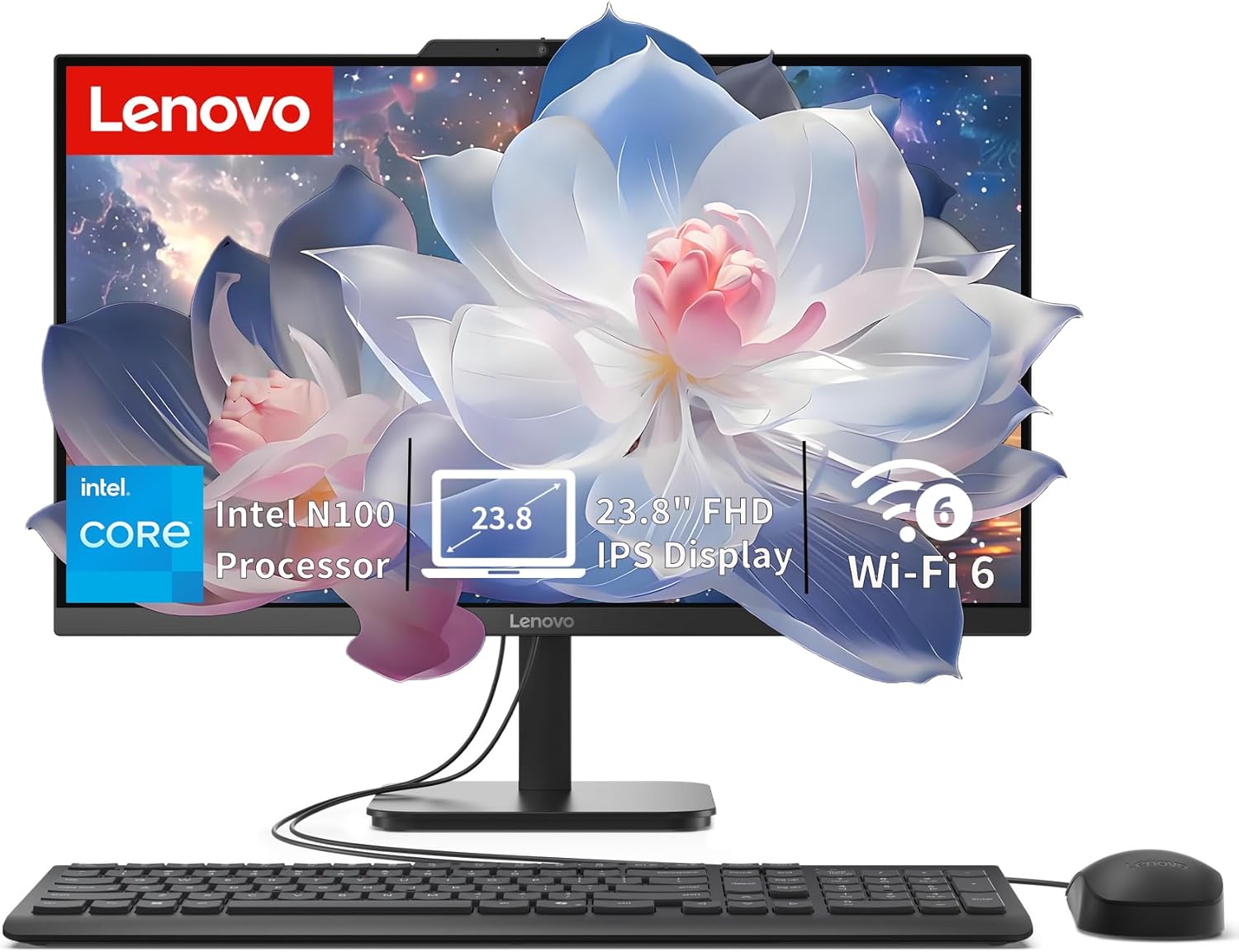
Lenovo IdeaCentre V100 Review
I have spent enough time with the Lenovo IdeaCentre V100 to know exactly what it is: a budget-conscious, space-saving machine that prioritizes utility over ambition. Unboxing this unit, I was struck by how lightweight the chassis feels. It is clearly engineered for a minimalist desk setup, lacking the dense, premium metal feel of high-end workstations. The plastics used in the housing have a standard matte finish that attracts fingerprints with ease, and the stand offers only a basic tilt mechanism, which is a limiting factor if your desk height isn’t perfectly ergonomic.
First impressions are dominated by the sheer simplicity of the design. There is no confusing setup process here. I pulled it out of the box, plugged in the power brick, and it was ready for Windows 11 in minutes. However, the included wired Calliope keyboard and mouse feel like an afterthought. They are thin, tactilely mushy, and frankly, I suggest tossing them into a drawer and replacing them with decent peripherals immediately if you plan on typing for more than ten minutes a day.
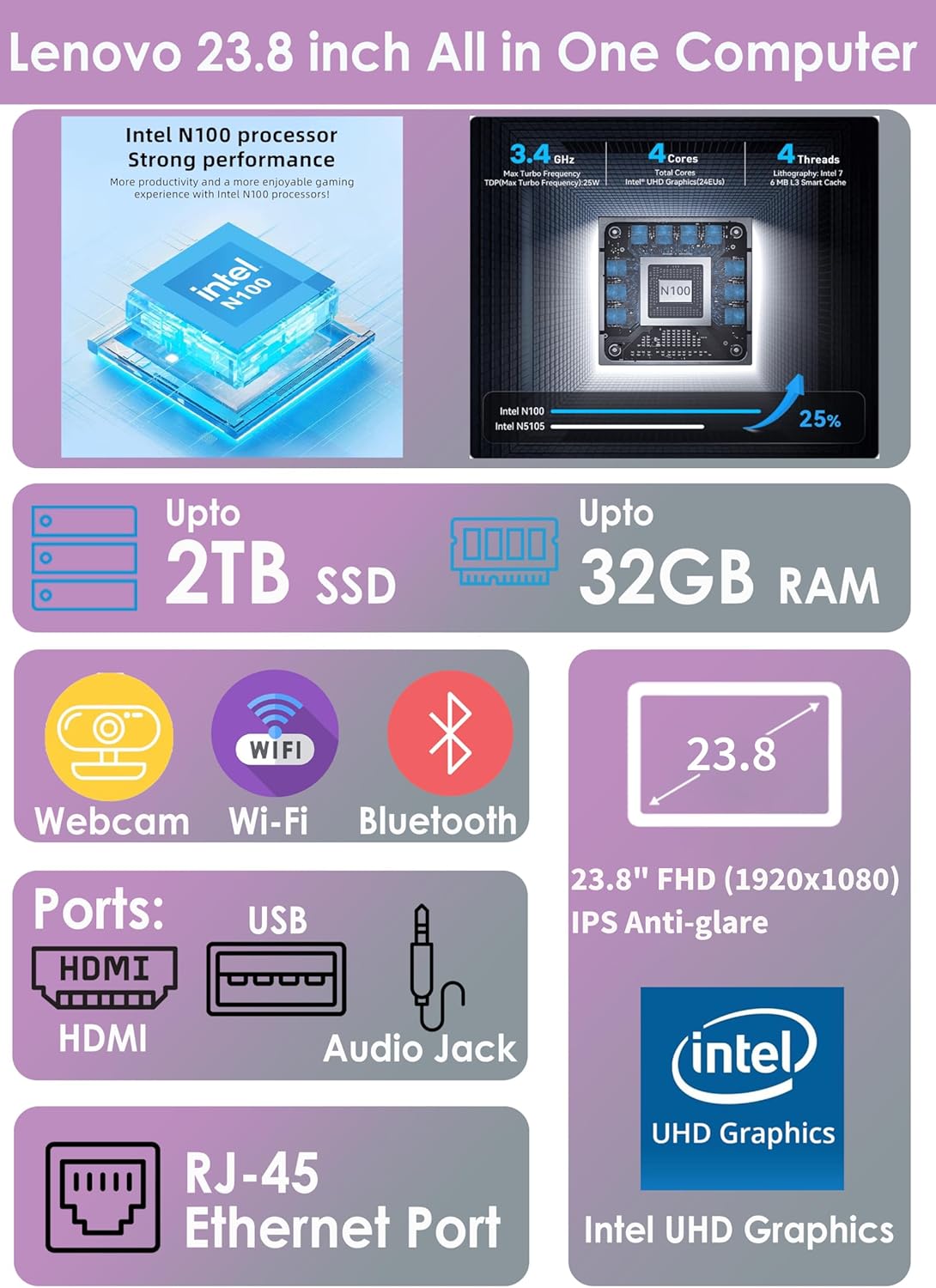
The display panel on this machine is an IPS unit that serves as its most redeeming quality. In my testing, the 250-nit brightness is perfectly adequate for indoor office environments, though I would struggle to recommend it for use in a room with harsh overhead lighting or direct window glare. The color reproduction is surprisingly solid for this price tier, covering enough of the sRGB gamut to make web browsing and document editing look crisp and vibrant, avoiding the washed-out gray tones common in cheaper TN panels.
Audio is where the experience takes a sharp turn toward the mediocre. The dual 2W speakers are functional for casual video calls and system alerts, but they lack any meaningful low-end response. When I played back high-bitrate media, the sound profile felt thin and tinny, lacking the depth required for an immersive experience. If you value your ears, you will bypass the integrated speakers entirely and plug a decent set of headphones or powered desktop monitors into the 3.5mm jack.
Real-world performance on this Lenovo desktop is dictated by the Intel N100 processor. In my daily workflow, which involves managing dozens of browser tabs, standard office suites, and background syncing services, the system remains responsive for basic tasks. I noticed a slight stutter when jumping between heavy applications, but for standard home or student usage, it holds its ground. It is not designed for video editing or high-resolution content creation, and trying to force it into those roles results in noticeable UI lag.
The integration of the SSD helps significantly with boot times and app responsiveness. I found that file exploration is snappy, and the system wakes from sleep in a predictable manner. However, do not mistake this for a power user machine. The processor is clearly optimized for power efficiency rather than raw compute speed. If your tasks require heavy multitasking, you will eventually find yourself waiting for the hardware to catch up, though it rarely crashes during standard office workloads.

Regarding thermals and connectivity, the unit stays relatively quiet under moderate load, though the internal fans do ramp up during system updates or intensive web scripts. The port selection is standard for an all-in-one, though I find the placement of the rear-facing ports to be a mild annoyance if you frequently plug in thumb drives. Wi-Fi 6 performance was consistent throughout my testing, maintaining a stable connection even when positioned behind other office clutter.
Power management is handled by a standard 65W brick. Because the hardware isn’t power-hungry, it doesn’t suffer from extreme heat soak, but the airflow path is somewhat restricted by the slim form factor. If you plan on running this continuously for long periods, keep the rear vents clear. The lack of an integrated SD card reader is a glaring omission for a device pitched at students and home users, forcing you to carry a dongle if you pull photos from a camera or legacy storage.
The biggest flaw here is the processor’s ceiling. While the N100 is efficient, it is a low-power chip that hits a wall quickly. Lenovo has likely banked on the fact that most buyers won’t push this beyond basic web browsing and word processing. The system is essentially a “disposable” computing experience; it is not meant to be upgraded or tweaked. You are stuck with the RAM and the CPU for the lifespan of the device, which makes the initial hardware selection quite permanent.
I also take issue with the build quality of the stand. It feels precarious. If you live in an area prone to vibrations or have an unstable desk, you will notice the screen wobbling whenever you type with any force. It feels as though Lenovo cut every possible corner on the chassis integrity to keep the price at that sub-400-dollar mark. You are paying for the convenience of the screen and the motherboard, not for a chassis designed to last a decade.
This machine is for the person who needs a “set it and forget it” solution for a kitchen counter, a child’s homework station, or a basic reception desk. If your primary goal is checking emails, paying bills, or attending remote classes, this covers your needs without fuss. Conversely, if you are a power user, a creative, or someone who keeps a browser open with fifty tabs, look elsewhere. You will find yourself frustrated by the limitations of the N100 within the first week.
Long-term value is questionable. While the price is accessible, the hardware is not future-proofed. In three years, web pages will be heavier, and Windows updates will be more taxing on the limited thread count of this processor. If you view this as a low-cost, short-term utility device, it works. If you view it as a long-term investment for a home office, you will likely find yourself shopping for a replacement sooner than you would like.

The Competitive Landscape
When stacking this unit against its peers in the budget AIO market, the differences mostly come down to display quality and peripheral quality. Most competing machines at this price point offer similar silicon, but often use inferior TN panels that hurt to look at after an hour. This Lenovo model wins on screen quality, but falls behind competitors that offer better-integrated speakers or sturdier stand designs. It is a game of compromise where you have to decide which trade-off you can live with.
| Feature | Lenovo IdeaCentre AIO | HP 24-cr0010 All-in-One |
|---|---|---|
| Processor | Intel N100 | Intel Core i3-1315U |
| RAM | 16GB DDR4 | 8GB DDR4 |
| Storage | 512GB SSD | 512GB SSD |
| Estimated Price | $369.00 | Check Latest Price |
Verdict
The Lenovo IdeaCentre V100 is a functional, no-frills tool for people who simply need to get work done. It is not flashy, it is not fast, and it is certainly not a powerhouse. However, it succeeds in being a stable, inexpensive hub for basic computing. It delivers exactly what it promises on the box, provided you temper your expectations regarding performance and build materials. If you need a reliable machine for a low-intensity environment, this is a reasonable purchase.
|
|