Lenovo Idea Tab 11-Inch Review: The Best College Tablet?
Lenovo Idea Tab Review: The Ultimate AI College Tablet?

College life is incredibly busy. Therefore, staying organized and keeping up with lectures can be a huge challenge. Carrying heavy textbooks and a bulky laptop around campus is exhausting. Consequently, many students are now looking for a smart, lightweight alternative.
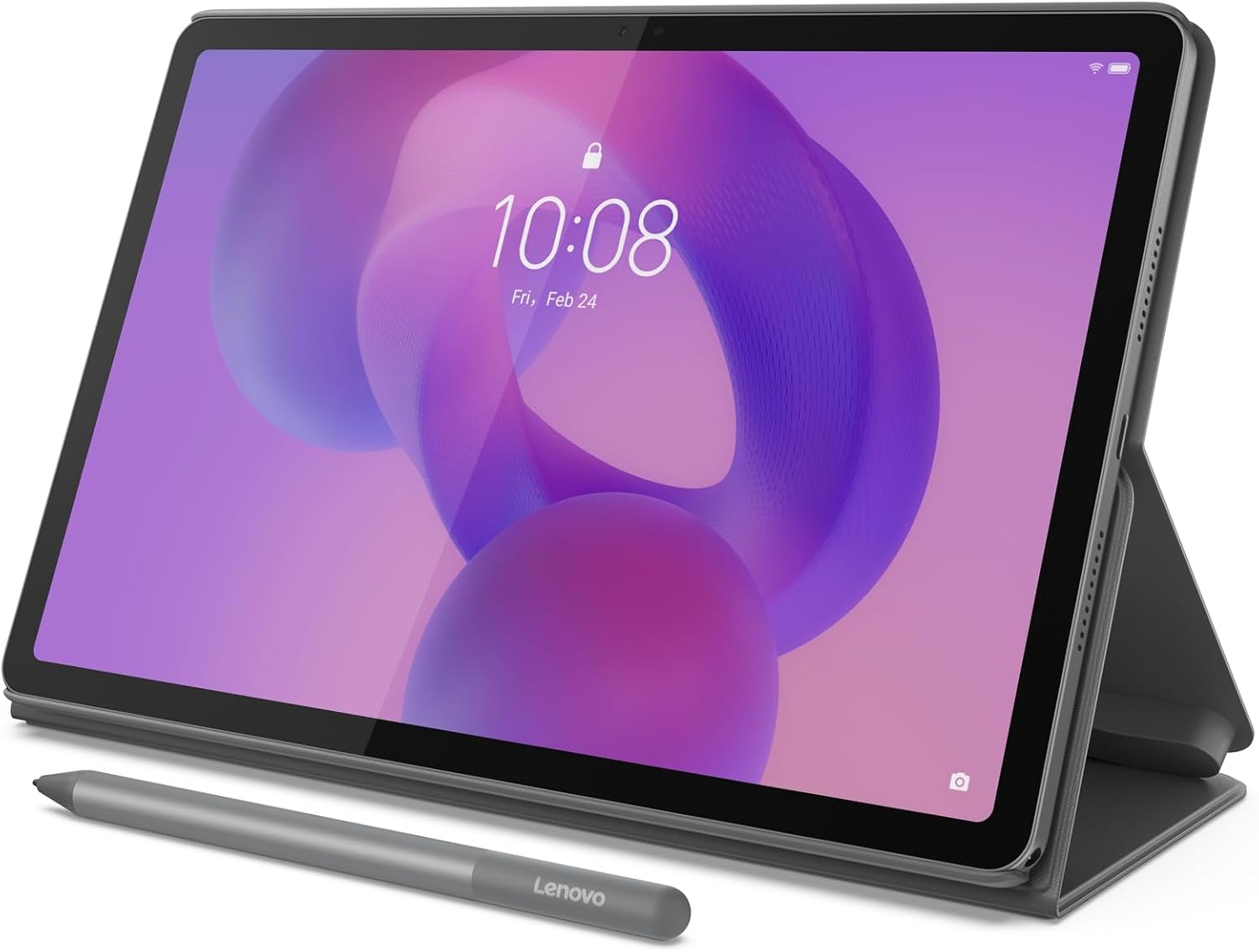
Today, we are reviewing the new Lenovo Idea Tab. It is marketed as an AI-powered study buddy for students. Furthermore, it comes bundled with a Tab Pen and a Folio Case. But is it really powerful enough to handle your college workflow? Let’s find out in this honest review.
Display and Audio: Built for Study and Play
First, let’s talk about the screen. The Lenovo Idea Tab features a stunning 11-inch 2.5K IPS touchscreen display. As a result, text looks incredibly sharp when you are reading long PDF documents. Additionally, the 90Hz refresh rate makes scrolling through web pages feel buttery smooth.
Moreover, taking study breaks is important. Luckily, this tablet includes quad Dolby Atmos-tuned speakers. Therefore, watching Netflix or YouTube after a long day of classes is a fantastic, immersive experience.

Performance: Powered by AI and MediaTek
Next, we need to look at performance. Under the hood, it packs the MediaTek Dimensity 6300 processor paired with 4GB of RAM. Honestly, multitasking feels smooth and totally effortless. You can easily switch between your browser, notes, and emails without lag.
Furthermore, the real magic lies in its AI features. It supports “Circle to Search with Google.” If you see a difficult word or image, simply circle it with your pen. Instantly, you get search results without ever switching apps. This feature saves a massive amount of time during research.

The Included Accessories: Pen and Folio Case
Usually, companies force you to buy accessories separately. However, Lenovo kindly includes the Tab Pen and a versatile Folio Case in the box. The pen has improved latency, which means writing feels very natural.
Additionally, the pre-installed Lenovo AI Notes app is brilliant. If your handwriting is messy, the AI can rephrase and organize your notes automatically. Meanwhile, the Folio Case protects your tablet and acts as a sturdy kickstand for watching lectures.
Battery Life: Will It Last All Day?
Battery anxiety is real for students. Fortunately, this tablet is built to survive long campus days. You can confidently go from morning study sessions to evening streaming marathons. Specifically, it offers up to 12 hours of video playback.
Furthermore, when the battery finally runs low, the included 20W charger gets you back in action quickly. Thus, you never have to worry about finding an outlet in the middle of a class.

Pros and Cons Summary
The Good:
- Beautiful 11-inch 2.5K display with a smooth 90Hz refresh rate.
- Incredible AI features like Circle to Search and AI Notes.
- The Tab Pen and protective Folio Case are included for free.
- Long-lasting battery life for full school days.
- Eye-care technology reduces harmful blue light.
The Bad:
- Only 4GB of RAM, which might limit extremely heavy gaming.
- 128GB of storage can fill up quickly if you download lots of movies.
Frequently Asked Questions (FAQs)
Q: Is this tablet good for drawing and digital art?
A: Yes! The included Lenovo Tab Pen is highly responsive. Therefore, it is great for sketching and organizing visual notes on apps like Squid or Nebo.
Q: Can it replace my Windows laptop completely?
A: It depends. For writing essays, browsing, and taking notes, it is perfect. However, if you need heavy desktop software for engineering or video editing, you will still need a traditional PC.
Final Verdict: Should You Buy It?
In conclusion, the Lenovo Idea Tab is a brilliant investment for college students. It perfectly balances work and entertainment. Ultimately, getting a high-quality screen, a fast processor, a stylus, and a case in one package is a fantastic deal.





